
Inbound enquiries: what to set up so deals are created automatically
An end-to-end guide for the administrator: the funnel “For new enquiries”, the owner in “New enquiries”, channels and website forms, and what happens if a step is skipped.
When a client writes for the first time on WhatsApp, Telegram, email, or leaves an enquiry on your website, Pineo creates the client card and the deal by itself. For this to work the way you want, you need three settings in three different places. If you skip one, nothing breaks, but the deal lands in the wrong place or has no owner.
A three-step checklist#
Step 1. Mark the funnel “For new enquiries”. Menu Funnels → Sales funnels → ··· → Edit on the funnel you need, the For new enquiries switch. There is only one such funnel in an organisation: if you mark another one, the mark moves to it. The deal always lands on the first open stage of this funnel. More in Funnels and stages.
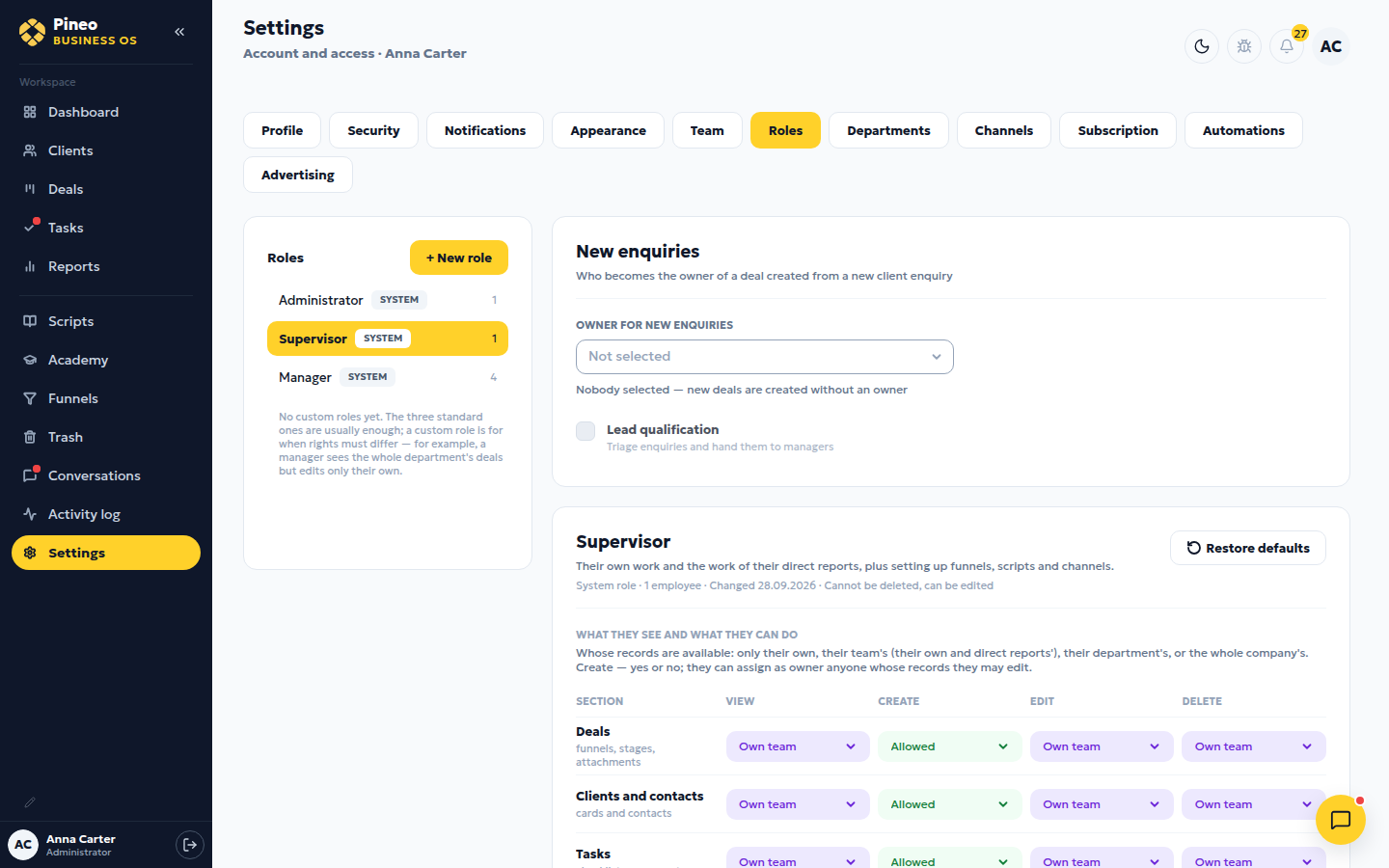
Step 2. Choose the owner for new enquiries. Settings → Roles, the New enquiries card above the role editor, the Owner for new enquiries field. This employee becomes the owner of the client and the deal created from a new enquiry. More in Roles and permissions.
Step 3. Connect a channel or a website form. Messengers and email — Settings → Channels (first the ChatApp cabinet, then the lines); website enquiries — Settings → Advertising → Website enquiries (Advertising and website enquiries).
What happens if you skip a step#
| What is not set up | What you will see |
|---|---|
| No funnel “For new enquiries” | The deal goes to the Default funnel, and if there is none, to the earliest funnel that has an open stage. The enquiry is not lost, but it lands somewhere you may not expect. |
| No owner for new enquiries chosen | The client and the deal are created without an owner. This is a valid state: the conversation stays in the Unassigned queue until someone takes it. A manager with “own only” access will not see the deal until they become its owner. |
| The chosen employee is blocked or left the organisation | The card shows “The employee is disabled — new deals are created without an owner”. Choose someone else. |
| The organisation has no funnel with an open stage | The client's message is saved and appears in “Conversations”, but no deal is created. Create a funnel with stages. |
Who becomes the owner#
The system goes down this list:
- If the client already exists and has an active owner — that person.
- Otherwise — the employee from the Owner for new enquiries field.
- Otherwise — nobody. The enquiry waits in the Unassigned queue.
A website form has its own Default owner field; if it is empty, the same employee from “New enquiries” is used.
What the system does on its own, and what it does not#
- A deal is created only for a live incoming message from a client. Importing old conversations, echoes of your own outgoing messages and traffic between your own lines create no deals.
- If the client already has an open deal, the new enquiry joins it — there will be no second deal. If several are open, the most recently changed one is used.
- If one phone number matches two different clients, the system creates nothing and hands the enquiry to a person in the queue.
- Manual sorting in the queue remains: it lets you name the deal in your own words, pick another funnel or attach the conversation to another client.
INBOUND_AUTO_DEAL_ENABLED). Then every new enquiry goes only to the “Unassigned” queue and is sorted by hand. If deals are not created although everything is set up, contact support.Check the result#
- Write to the connected number from your personal phone.
- A conversation appears in Conversations, and a new deal in Deals, on the first stage of the “For new enquiries” funnel.
- In the deal card, check the owner and the source — for enquiries from channels the source is set automatically (the “Messenger” category).