
Academy: training videos and progress
How to watch lessons, where their materials are, which language lessons are shown in and how progress is counted.
Sales Academy is a library of training lessons for employees: handling objections, the product, scripts. The videos and categories are prepared by the Pineo team and are shared across all organisations; progress is personal to each employee. An organisation administrator does not upload new videos.
The section shows lessons in the language of your interface: a Russian interface — Russian lessons, English — English ones. The language is switched in Settings → Appearance (Profile, security, appearance), and the list updates at once.
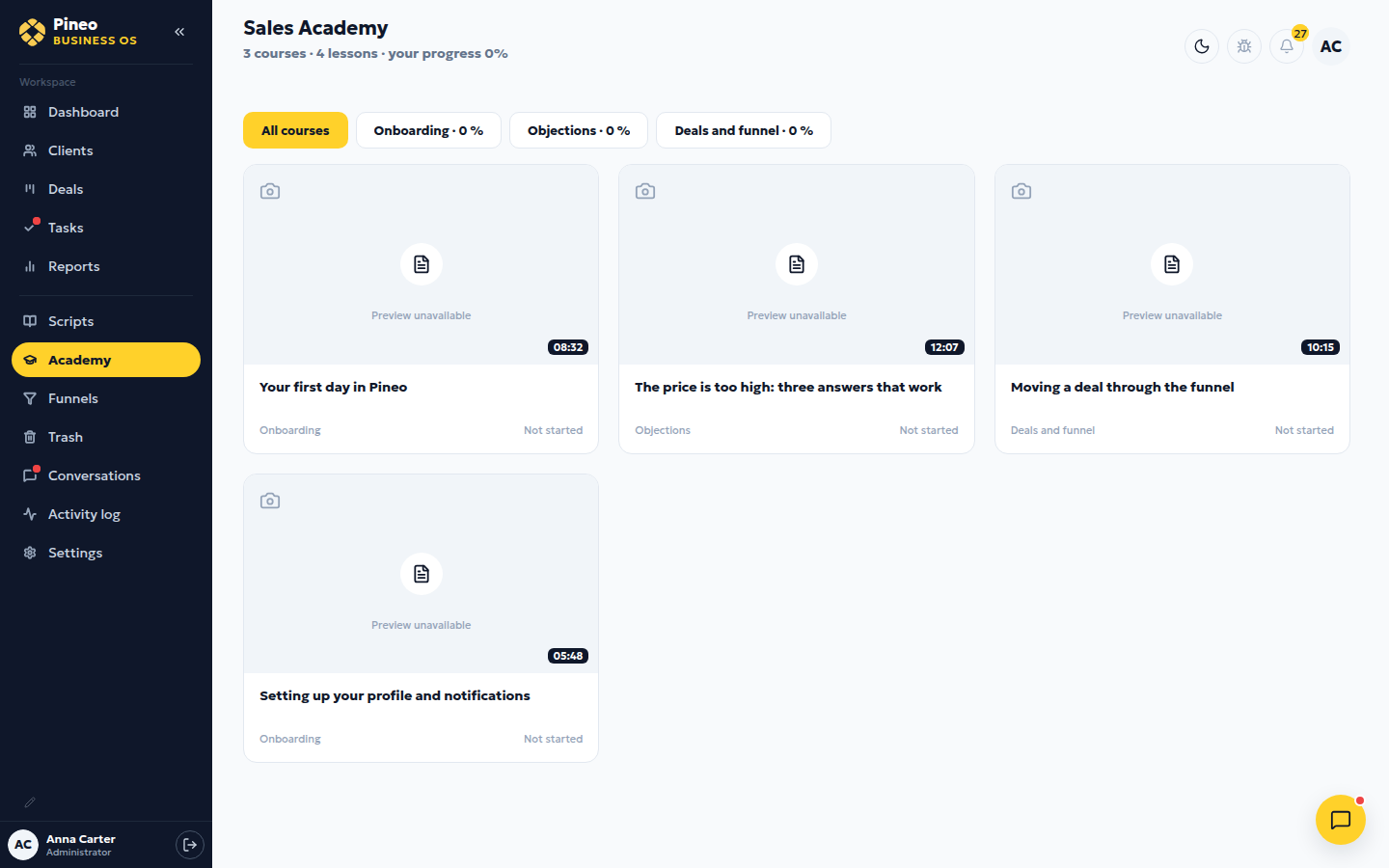
Courses and lessons#
At the top is a summary (“3 courses · 4 lessons · your progress 0%”) and course pills: All courses and individual courses with the completion percentage. Each lesson is a card with a cover, duration, title, course and status (“Not started”, “Watched”).
Open a lesson:
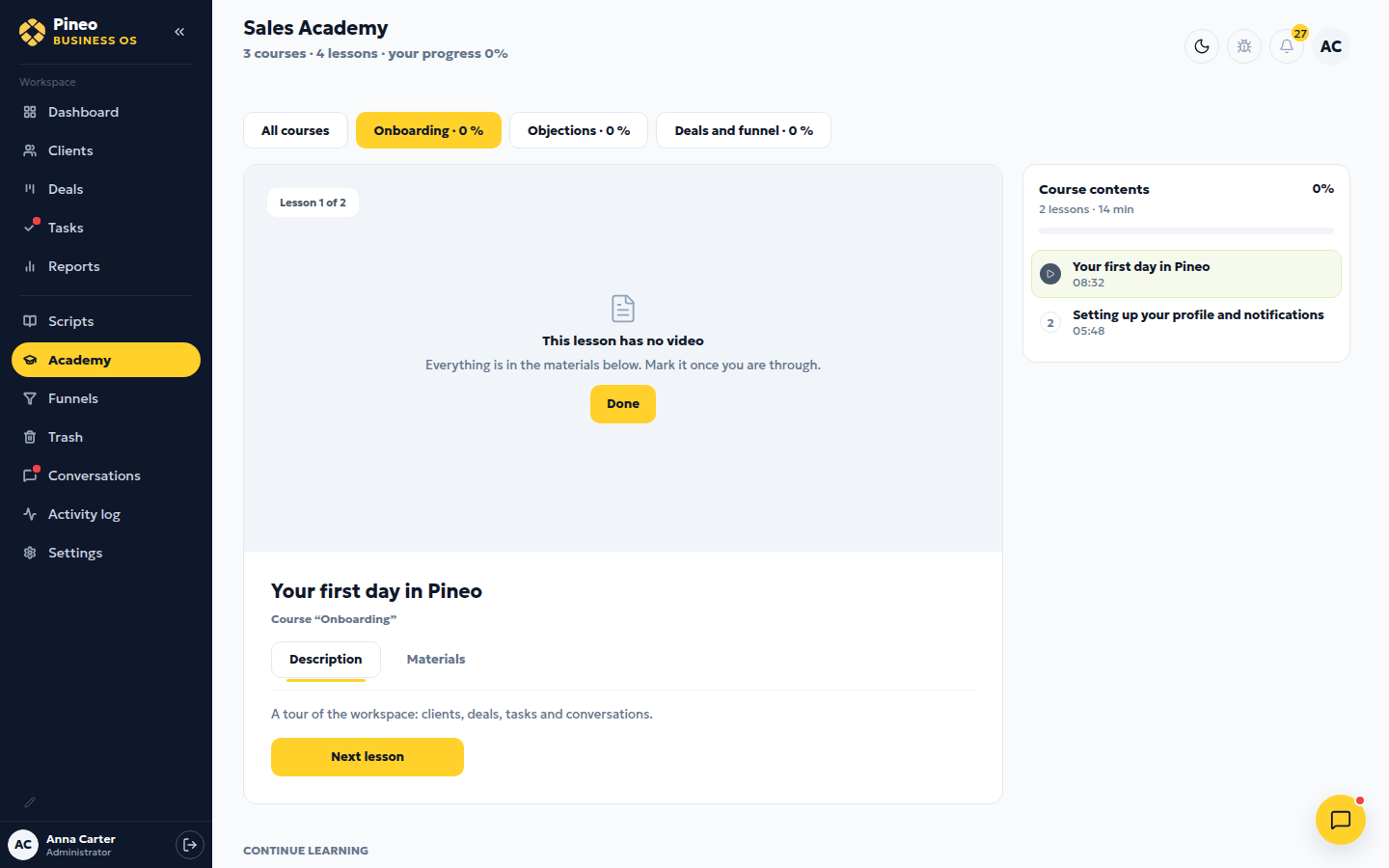
- On the left is the player, under it the title, the course and the Description and Materials tabs.
- The Materials tab holds handouts, checklists and presentations (PDF, DOCX, images) that you can download with the Download button.
- On the right is the Course contents with progress; at the bottom the Next lesson button and the Continue learning block.
- A lesson without a video has a Done button instead of the player: read the materials and mark the lesson yourself.
Progress#
The system remembers where you stopped a lesson (“Continue from …”) and shows progress for the lesson and the course. A lesson counts as watched from 95 % — you do not have to sit through the last seconds with the credits. Progress only goes up and is not reset if the video is replaced. Other people's progress is not shown to an employee.
For a supervisor#
The team picture is in Reports → Learning: how many employees are in scope, the average progress, how many completed the course and how many have not started, progress by course. A per-employee table does not exist yet. More in Report tabs.
If the section is empty#
“No videos yet” means there are no lessons in the language of your interface yet: they appear here once the Pineo team publishes them. Try switching the language in Settings → Appearance — perhaps the lessons are already out in another one. “No videos in the category yet” — the chosen course has no lessons in your language.