
Roles and access: who sees what
The three standard roles, the "supervisor — subordinate" chain, departments, custom roles and records without an owner.
Access to records in Pineo depends on the employee's role. An administrator assigns the role when inviting and can change it later in Settings → Team (a supervisor can also invite employees if the role has the "Employees" capability).
The three standard roles#
| Role | What they see | What they configure |
|---|---|---|
| Manager | Their own clients, deals and tasks. | Only their own profile. |
| Supervisor | Their own records and those of direct reports; team reports; the activity log. | Funnels and tags, scripts, messaging channels, automations (view), inviting employees; reopens deals from closed stages and restores records from the trash. |
| Administrator | All of the organisation's records. | Everything a supervisor does, plus roles, departments, the subscription, directories (deleting tags and loss reasons, client types), appointing the owner for new enquiries; deletes from the trash permanently. |
Who reports to whom is set in the employee card (the Supervisor field). The chain works exactly one level deep: a supervisor sees their direct reports but not the reports of their reports.
Departments#
Employees can be grouped into departments (Settings → Departments, managed by an administrator only). A role inside a department — "Department head" or "Member" — is unrelated to the general role: it describes structure, not rights. "Own department" access in a custom role lets you see the records of everyone in your own (non-archived) departments. A manager who belongs to no department cannot create a client.
A funnel can also be assigned to departments — then only their employees can work in it (see Funnels and stages). Deals in such a funnel stay visible under the role's usual rules, but outsiders cannot move them between stages.
Custom roles#
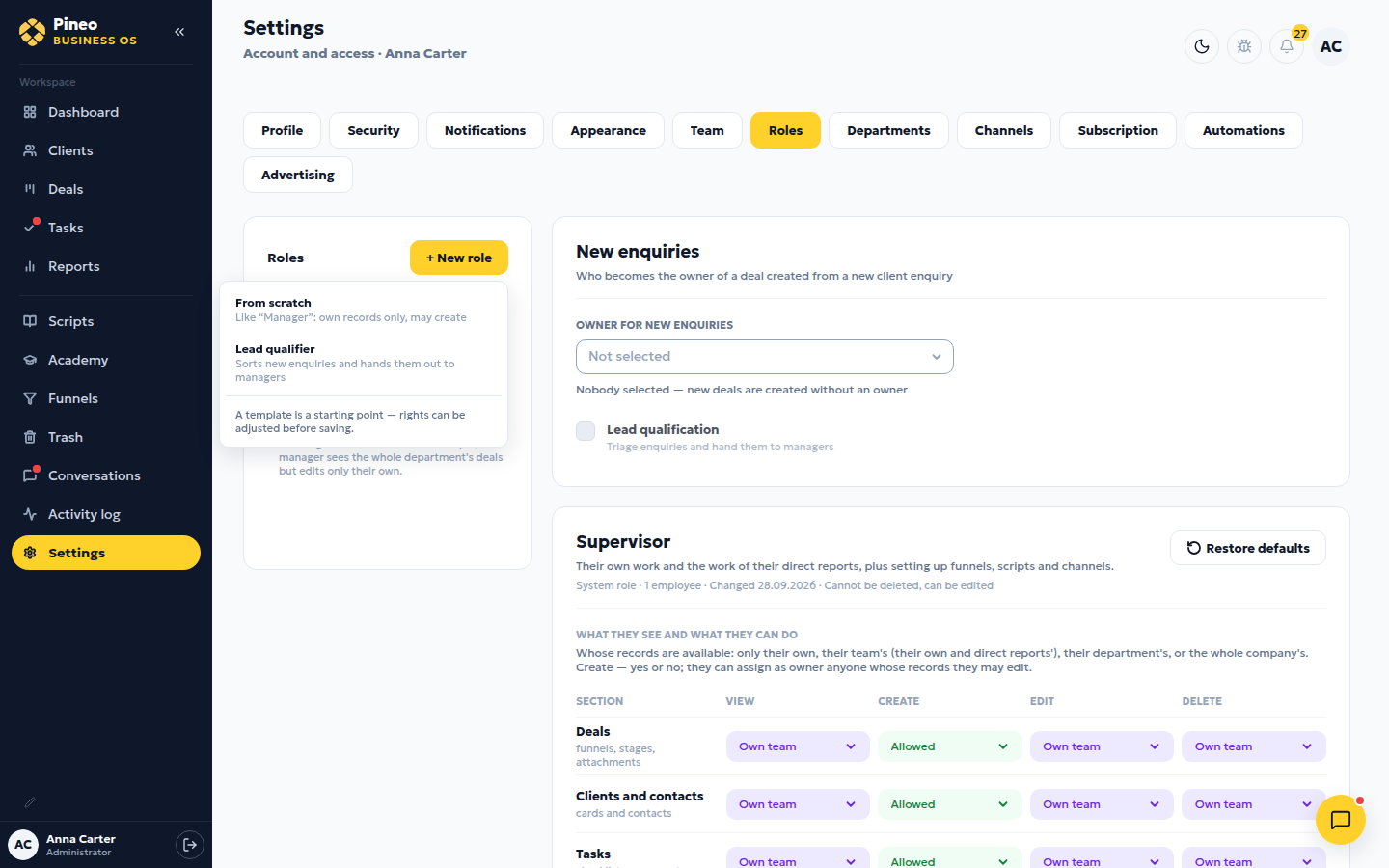
If three roles are not enough, an administrator creates their own in Settings → Roles with the "+ New role" button — from scratch or from the "Lead qualifier" template.
In the editor, for deals, clients, tasks and conversations separately, you set what an employee can view, create, edit and delete. The access level is "No access", "Own only", "Own team", "Own department" or "Whole company"; "Create" is "Not allowed" or "Allowed" (conversations only have "View"). On top of that you switch on capabilities: Employees, Team analytics, Funnels, Sales scripts, Channels, Automations, Trash, Tags, Unsorted conversations, Lead qualification, Reopen a closed deal, Advertising and analytics.
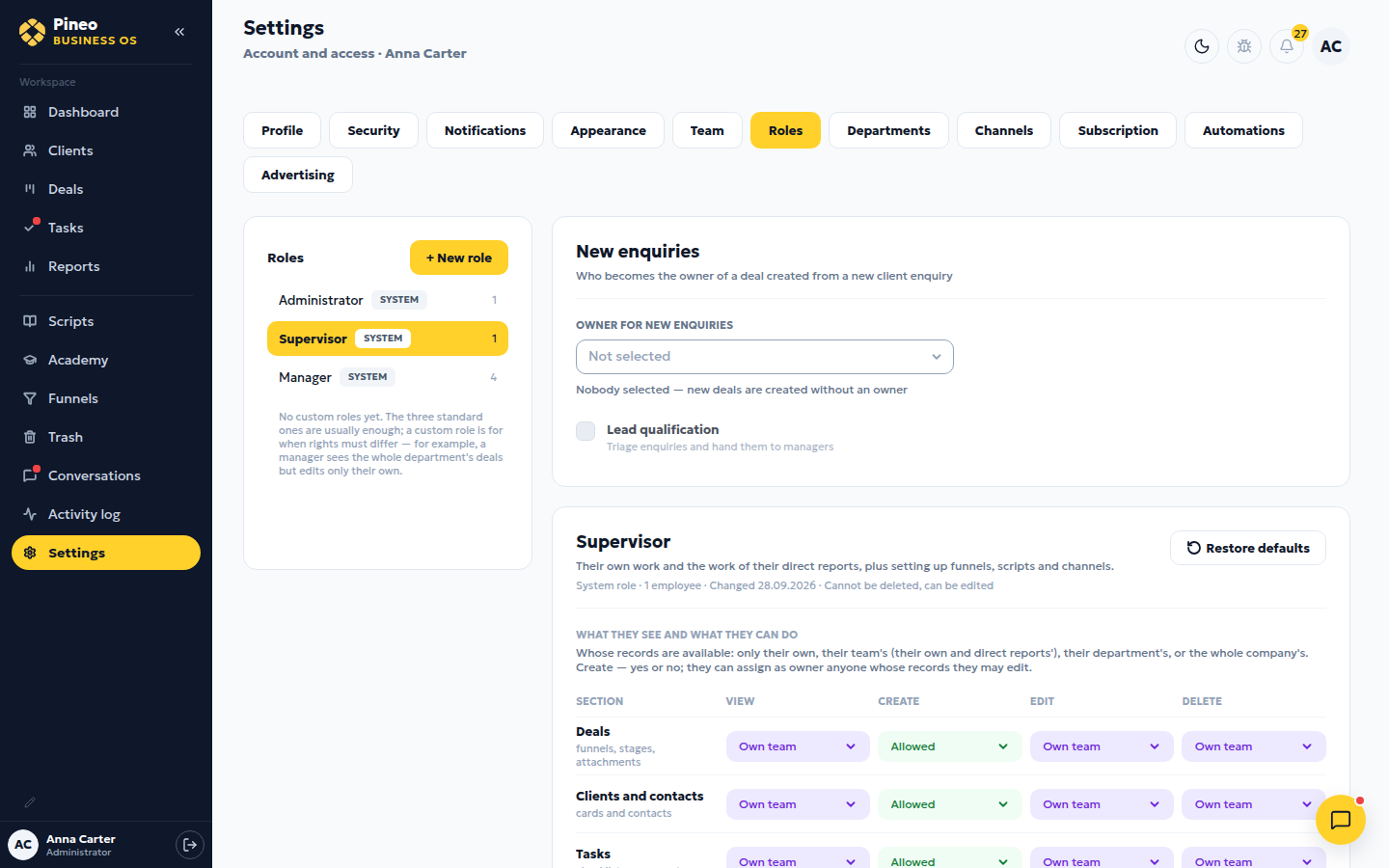
System roles can be edited (the "Restore defaults" button brings the original set back) but not deleted. The Administrator role cannot be changed: administrator rights are granted with the "Make administrator" button in the employee card. More — Roles and permissions.
Records without an owner#
New client enquiries create a client and a deal automatically — and, if nobody is appointed as the owner for new enquiries, without an owner (more — How an incoming message becomes a deal). This is a normal state, not an error:
- a client and a deal without an owner are visible only to those with "Whole company" access (by default, the administrator); "Own department" access does not show them;
- a conversation without an owner is visible in the "Unassigned" queue to those with the "Unsorted conversations" or "Lead qualification" capability.
What this means in practice#
- If you cannot see someone else's deal or client, it is not an error but the boundary of your role. Ask your administrator if you really need access.
- Buttons you cannot use are simply not shown. For example, a manager has no "Trash" item in the menu at all, and for a supervisor the "Delete for good" button in the trash is greyed out: records are erased automatically when their retention period ends, and only an administrator can delete permanently.