
Archiving, deleting and anonymising a client
How the archive differs from the trash, who can do what, what happens to deals and tasks, and what anonymisation at a client's request is.
When your work with a client is finished, there are three things you can do with their card. They are not interchangeable. All three are in the "···" menu of the client card (see The client card).
Archive: "out of sight"#
Archive removes the client from the active list, but the card stays reachable by link and under the Status → Archived filter. Deals and history are kept, and you can bring the client back at any time with "Restore from archive". Use it for finished or no longer relevant clients. To archive a client you need the right to edit them — merely seeing the card is not enough.
Deleting: to the trash#
Move to trash moves the card to the Trash, where it is kept for 90 days and can be restored.
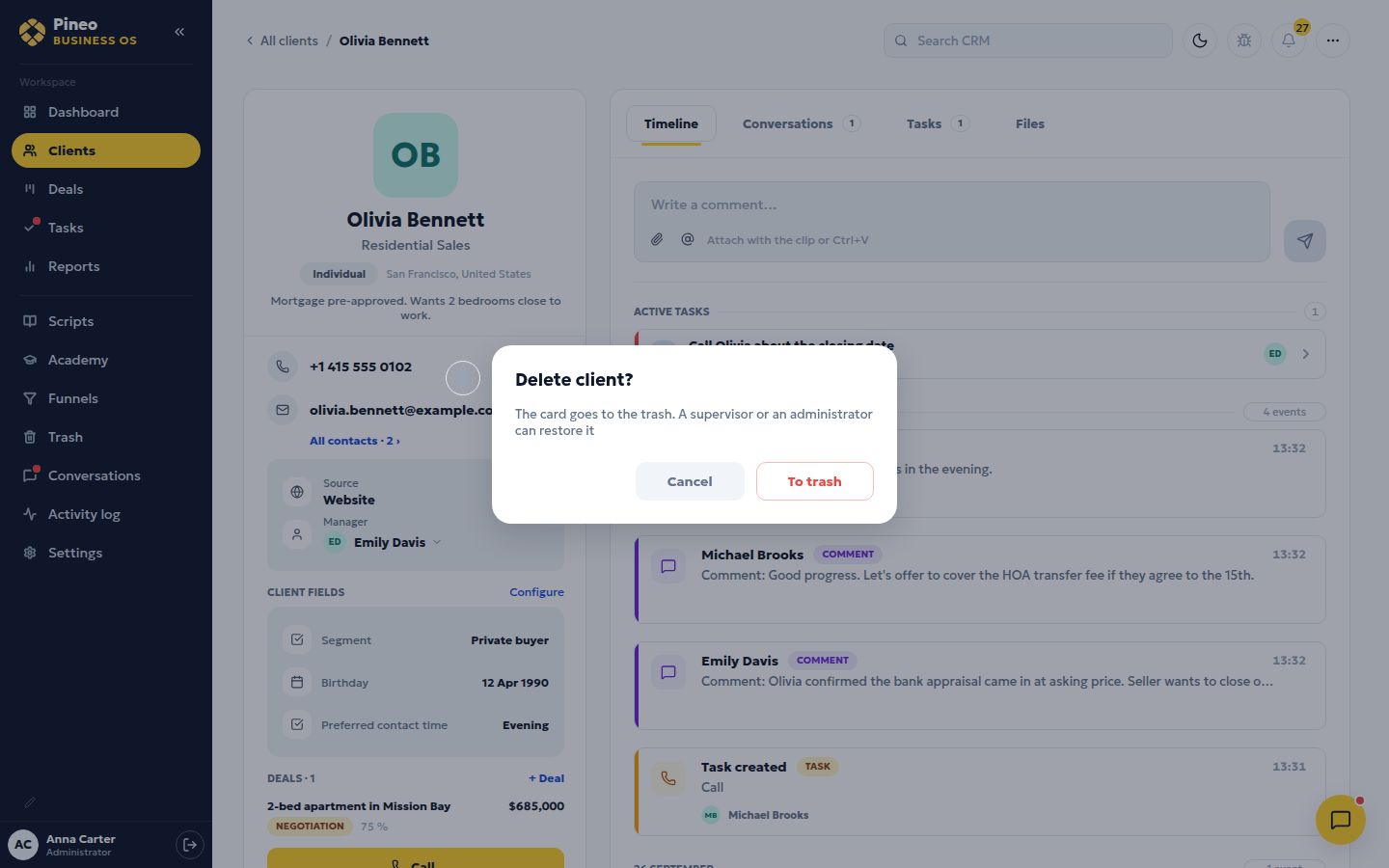
- Whoever deletes: anyone whose role has the right to delete clients of that range (own, team, department, whole company).
- Whoever restores from the trash: an administrator, or an employee with the "Trash" capability whose deletion range covers the client's owner. A supervisor restores clients of their own and their reports; a client with no owner can be restored only by an administrator.
- Whoever erases for good: only an administrator (or the record erases itself when its retention period ends).
- The client's tasks that are not finished go to the trash with them; finished ones stay. When the client is restored, the tasks are not brought back automatically — they are restored separately.
- The client's deals are not deleted; they will say "client in the trash".
Anonymisation: at the client's request#
If a client asks you to delete their personal data, an administrator uses Anonymise. It is irreversible: the name, contacts and notes are erased and the client is marked "Anonymised". The titles of related deals and tasks are replaced with the stored text "[удалено по запросу субъекта данных]" ("deleted at the data subject's request" — this text is written once and is not translated), and personal data is cut out of conversation messages with markers such as "[name removed]" and "[phone removed]". Amounts, stages, dates and files are kept, so the deals stay in the reports.
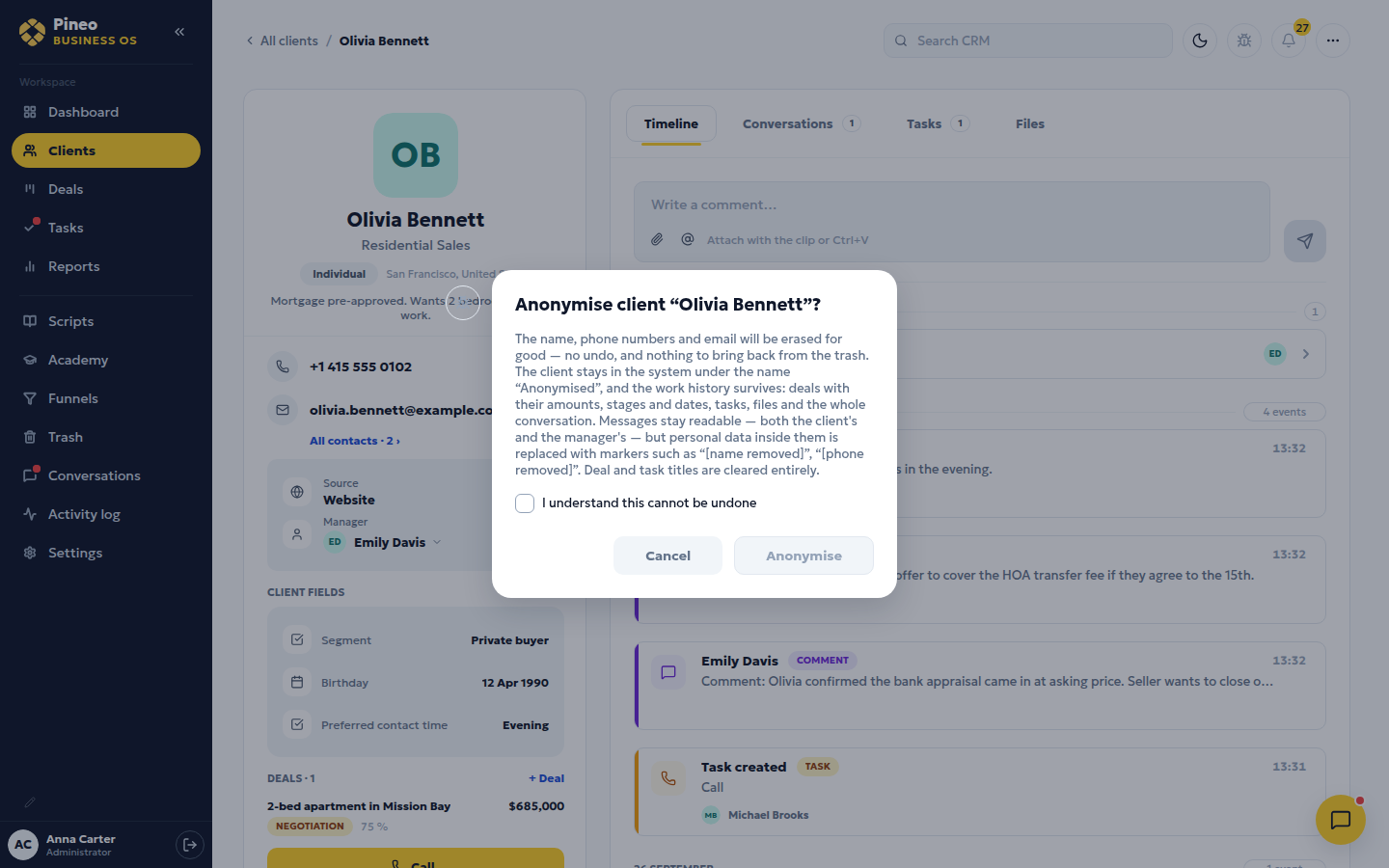
Before you confirm, the system asks you to tick "I understand this cannot be undone".
| Action | Who can do it | Reversible | What happens to the data |
|---|---|---|---|
| Archive | whoever may edit the client | yes | everything is kept |
| Move to trash | whoever may delete the client | yes, 90 days | the card is in the trash, and so are unfinished tasks |
| Anonymise | administrator only | no | personal data erased, deals remain |