
How an incoming message becomes a deal
The whole path from a client's first message to a deal on the board — and the three settings that control it.
When a new person writes to a connected channel — WhatsApp, Telegram, email or any other — Pineo creates a client and a deal by itself and links the conversation to them. Nobody has to create anything by hand: the enquiry immediately shows up on the deals board, in the client list and under "Conversations".
Below is what exactly happens, in what order, and where each part is configured.
What to set up in advance#
| What | Where | What happens if it is not set |
|---|---|---|
| A messaging channel | Settings → Channels: the ChatApp cabinet first, then the lines. See Connecting channels. | Messages do not arrive at all. |
| The funnel for new enquiries | Funnels → Sales funnels → "···" next to the funnel → Edit → "For new enquiries". Administrator only. | Deals go to the funnel marked "Default", and if there is none, to the earliest funnel with an open stage. |
| The owner for new enquiries | Settings → Roles, the "New enquiries" card → the "Owner for new enquiries" field. Administrator only. | New clients and deals are created without an owner and wait in the unassigned queue. |
Step 1. Mark the funnel for new enquiries#
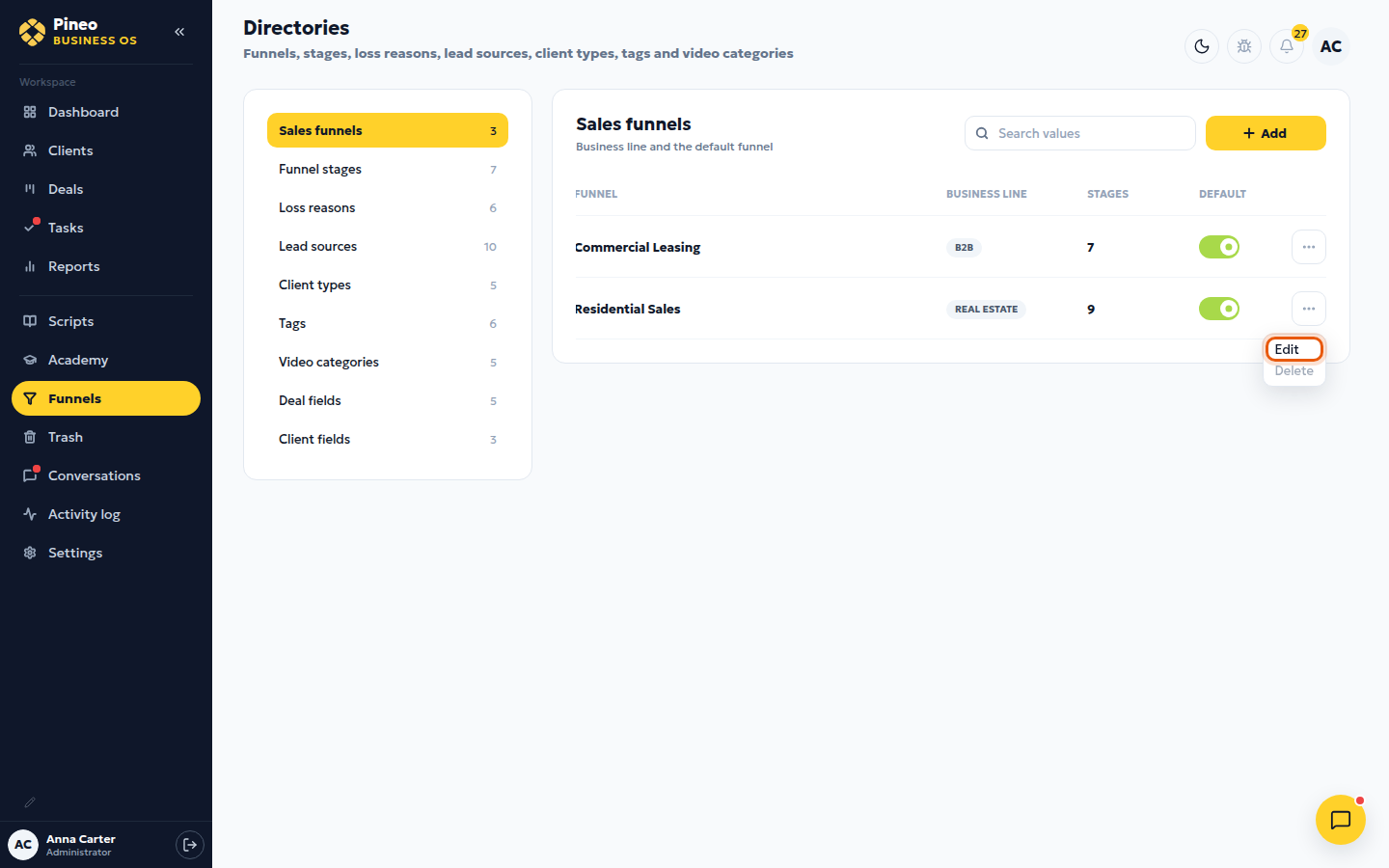
- In the sidebar, open Funnels — the Directories screen opens.
- On the left, choose Sales funnels.
- Next to the funnel you need, click "···" and choose Edit.
- Switch on "For new enquiries" and click Save.
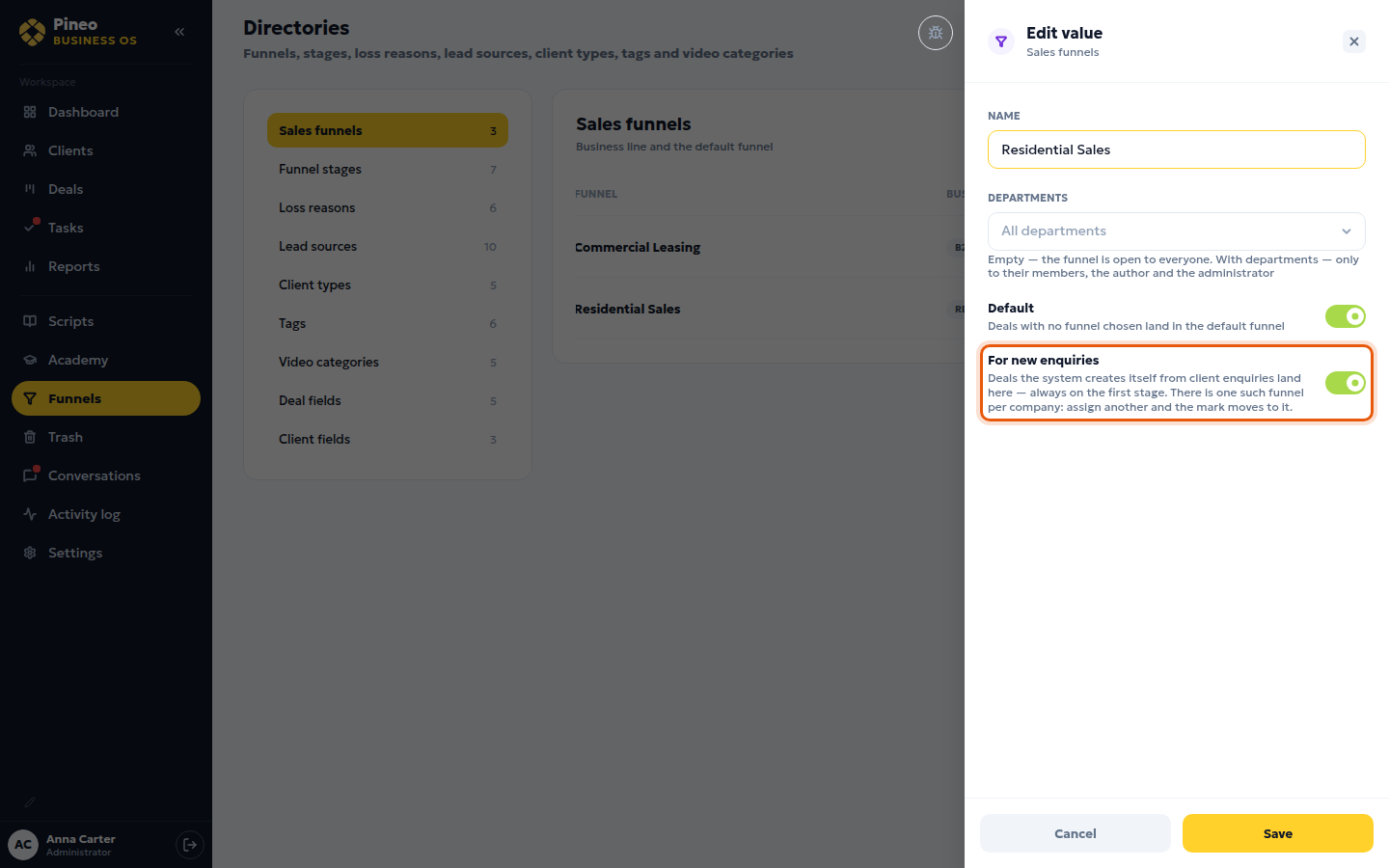
There is only one such funnel per company: mark another one and the mark moves to it. A deal created from an enquiry always lands on the first open stage of that funnel. More about funnels — Funnels and stages.
Step 2. Appoint the owner for new enquiries#
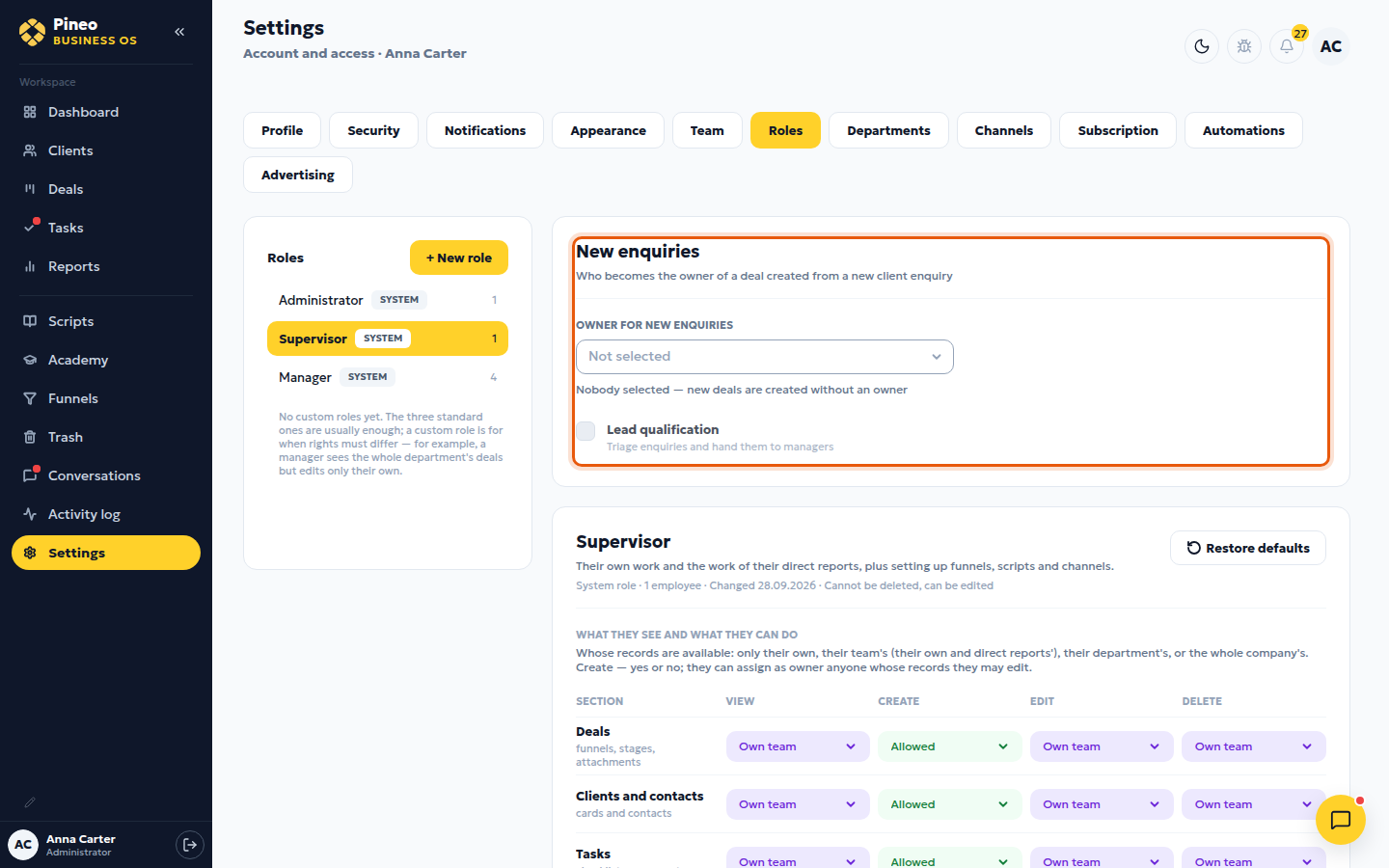
- Open Settings → Roles. The "New enquiries" card sits above the role editor and is visible whichever role is selected.
- In the "Owner for new enquiries" field, choose an employee. The setting is saved immediately; there is no Save button.
- If this person should hand enquiries out to colleagues, tick "Lead qualification". This way an ordinary manager can triage leads without changing their role. If their role already grants this capability, the checkbox is disabled and shows "Granted by role …".
What happens when a client writes#
- The message is saved under "Conversations" in any case — even if something further down does not work out.
- Pineo looks for the client by the contact — phone number, Telegram username or email address.
- Exactly one client found — the conversation is linked to them.
- Nobody found — a new client is created: the name comes from the sender's profile, the contact is the one they wrote from, the source is the channel.
- Pineo looks for the client's open deal. If there is one, the conversation joins it (with several, the most recently changed one). No second deal is created: one deal per conversation, even if the client writes both on WhatsApp and on Telegram.
- No open deal — a new one is created, titled "Enquiry · Client name", in the funnel for new enquiries, on its first stage.
- An owner is assigned, in this order:
- the client's owner, if the client was already in the base and that employee is active — the client returns to their own manager;
- otherwise, the owner for new enquiries from the "New enquiries" card;
- otherwise, nobody, and the conversation waits in the "Unassigned" queue.
When no deal is created#
Pineo deliberately creates nothing and leaves the conversation to people when:
- the number matches several clients at once — the system does not guess whose conversation it is;
- the sender left no phone, email or username — only a display name, which cannot identify a person;
- the client's card is in the Trash — a person decides whether to restore it or create a new one;
- the organisation has no funnel with an open stage — there is nowhere to put the deal; the message is still saved;
- the message is not from a client: an echo of your own reply, an import of old history, or traffic between your own lines.
Such conversations are shown under "Conversations" with the "Unassigned · N" pill. They are triaged by hand via "···" → "Triage the conversation". See The unassigned enquiries queue.
Who will see the new deal#
- A deal with an owner is visible to the owner, their supervisor (through the chain) and everyone whose deal access is "Whole company".
- A deal without an owner is visible only to those whose role has "Whole company" access (by default, the administrator). "Own department" access does not show it.
- A conversation without an owner is visible in the queue to those whose role has the "Unsorted conversations" capability (by default, administrator and supervisor) or "Lead qualification".
Website enquiries work differently#
A website form creates a client and a deal by its own settings: the funnel and the default owner are set in the form itself (Settings → Advertising). If the form has no owner, the deal goes to the owner for new enquiries, and if there is none either, to an administrator of the organisation. A website enquiry is titled "Website enquiry · Client name". More — Advertising and website enquiries.