
Dashboard: the main numbers for a period
What the dashboard shows a manager, a supervisor and an administrator, and what decides which dashboard you see.
The Dashboard is the first screen after signing in. It answers “what do I have now and what needs attention”. The period is chosen with the calendar in the header — the current month by default.
Your rights decide which dashboard is shown: the administrator gets the administrator dashboard; a role with the Team analytics capability (by default the supervisor) gets the supervisor dashboard; everyone else gets the manager dashboard (Roles and permissions).
Manager#
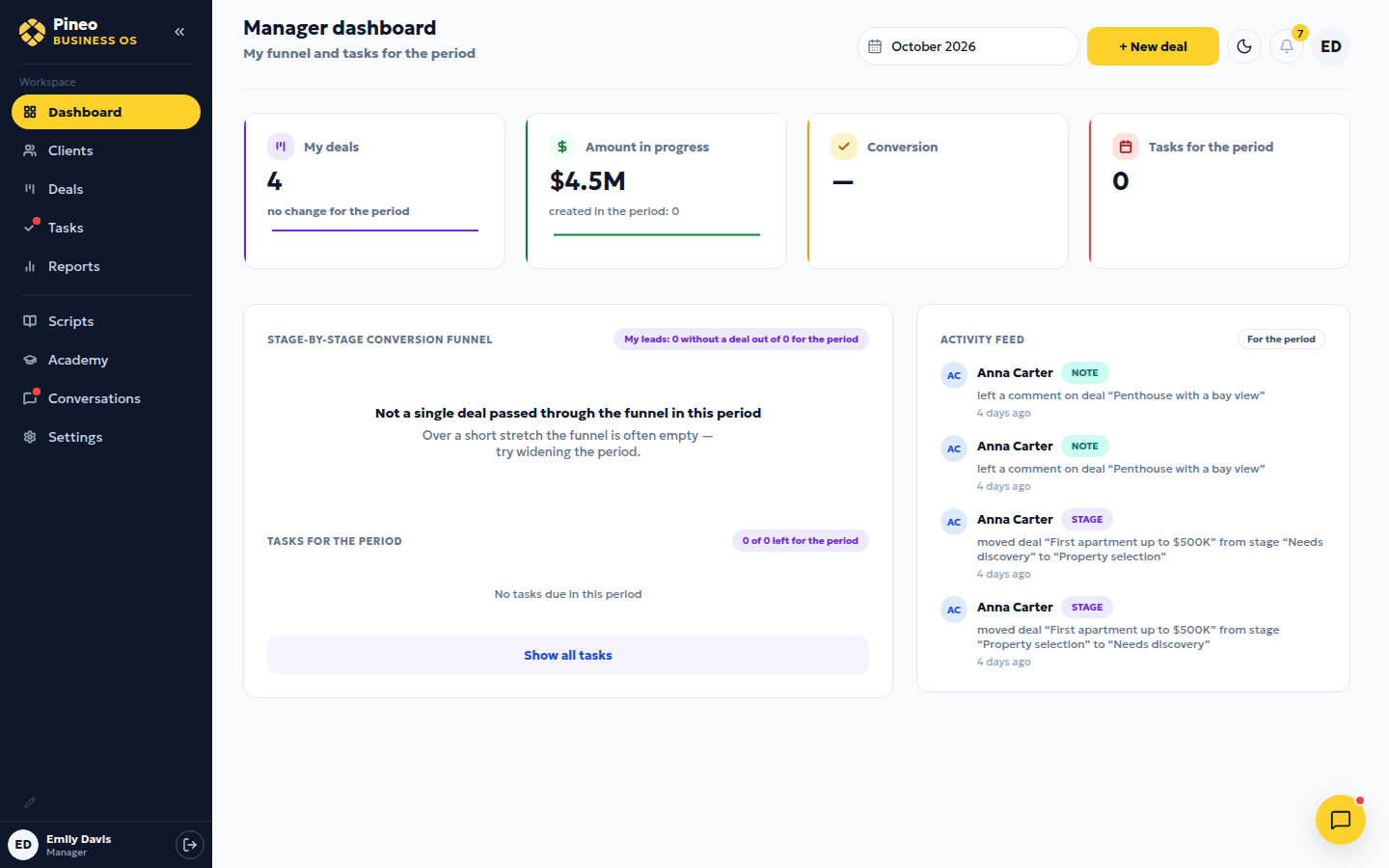
- Tiles: My deals, Amount in progress, Conversion, Tasks for the period.
- Stage-by-stage conversion funnel — how many of your deals reached each stage and how many dropped out.
- Tasks for the period with the Show all tasks button.
- Activity feed — the latest events on your deals and tasks.
- The + New deal button in the header.
Supervisor#
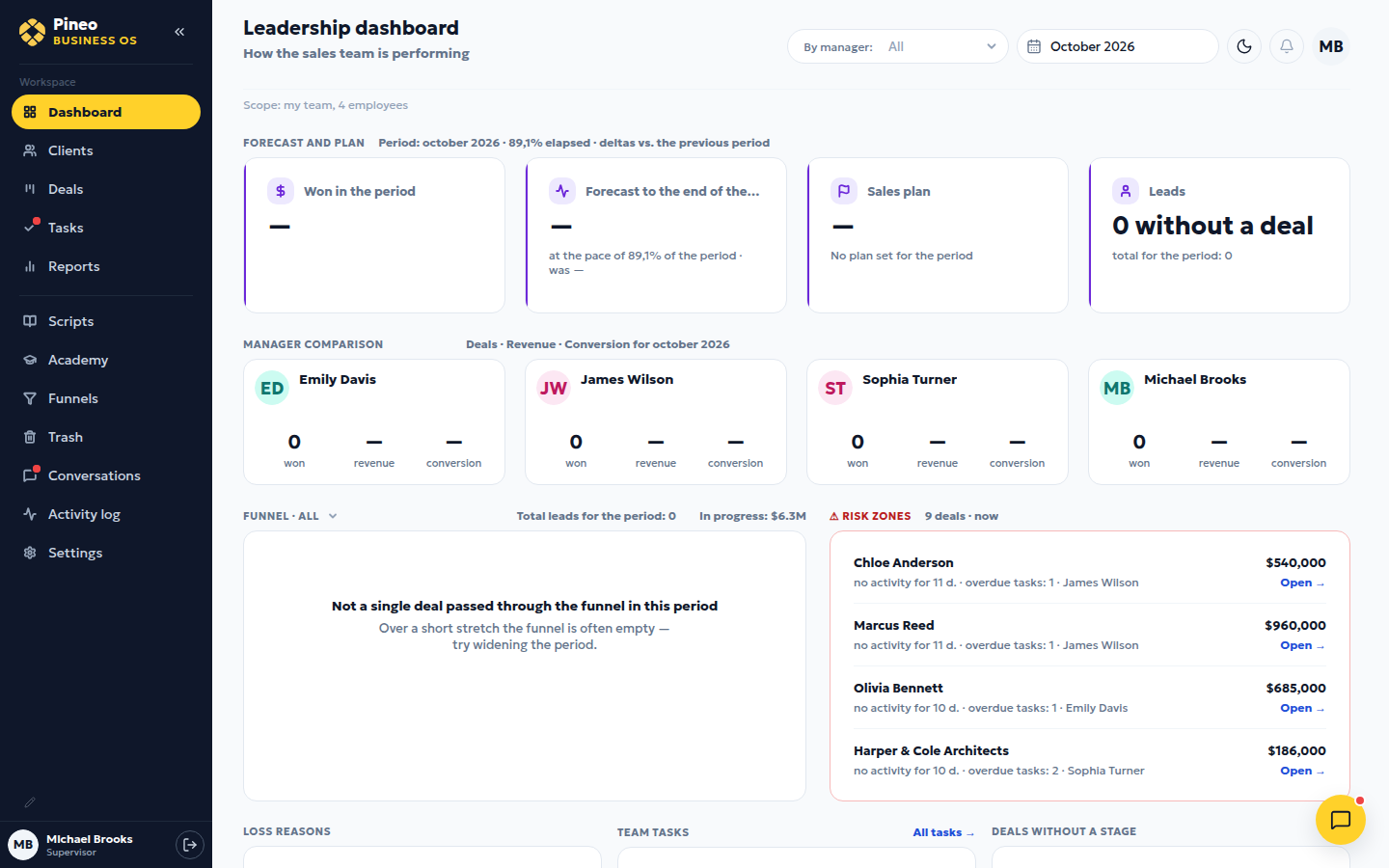
- The “Scope” line shows whose numbers you are looking at (“my team, 2 employees”); the By manager filter narrows it to one employee.
- Forecast and plan: won in the period, a forecast to the end of the period at the current pace, the sales plan, leads without a deal.
- Manager comparison — each person's deals, revenue and conversion.
- Funnel for the chosen funnel and Risk zones — deals that sit long on a stage or without activity, with overdue tasks; the Open link leads to the card.
- Below — Loss reasons, Team tasks and Deals without a stage.
Administrator#
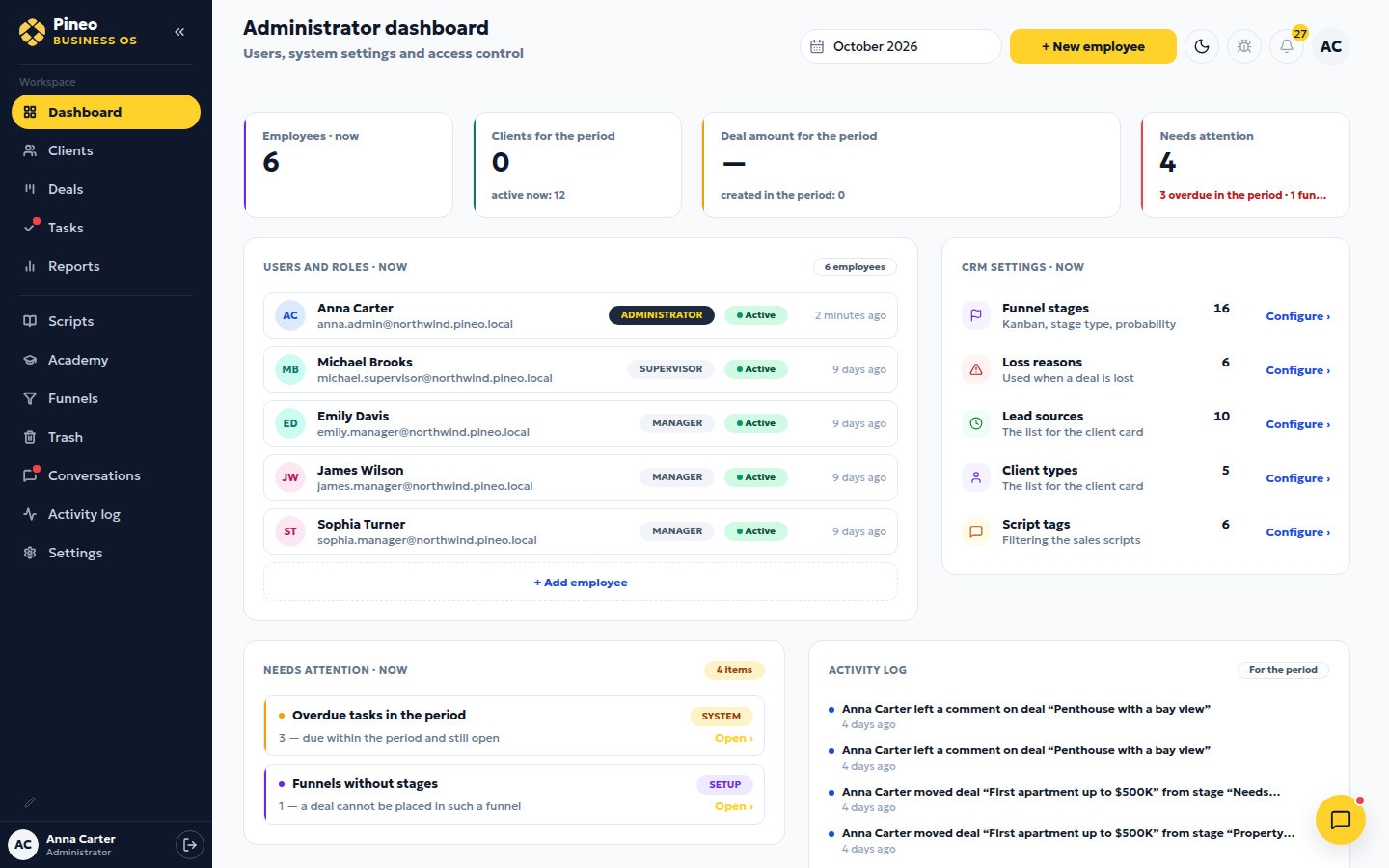
- Tiles: Employees · now, Clients for the period, Deal amount for the period (by currency separately), Needs attention.
- Users and roles · now — who is active, who is invited and has not signed in yet; + Add employee (Employees).
- CRM settings · now — how many stages, loss reasons, sources, client types and tags exist, with Configure links.
- Needs attention · now — overdue tasks across the system and deals without an owner; the Open link leads to the list.
- Activity log for the period.
Tip. “Deals without an owner” is a sign that automatic deal creation from enquiries is not fully set up: check the “Owner for new enquiries” (Inbound enquiries: what to set up).
Note. Amounts in different currencies are not converted into each other and are shown side by side, for example “$5,807,131 · €123,123”.
Was this article helpful?Thank you! If something is missing, write to us through support.