
What happens to your report: statuses, questions, improvements
What the report statuses mean, where to find your reports, how to reply to the team and how a bug differs from an improvement.
Where to find your report#
Everything that happens to a report arrives in the bell: a status change, a question from the team, a comment. Click the notification — the report sheet opens.
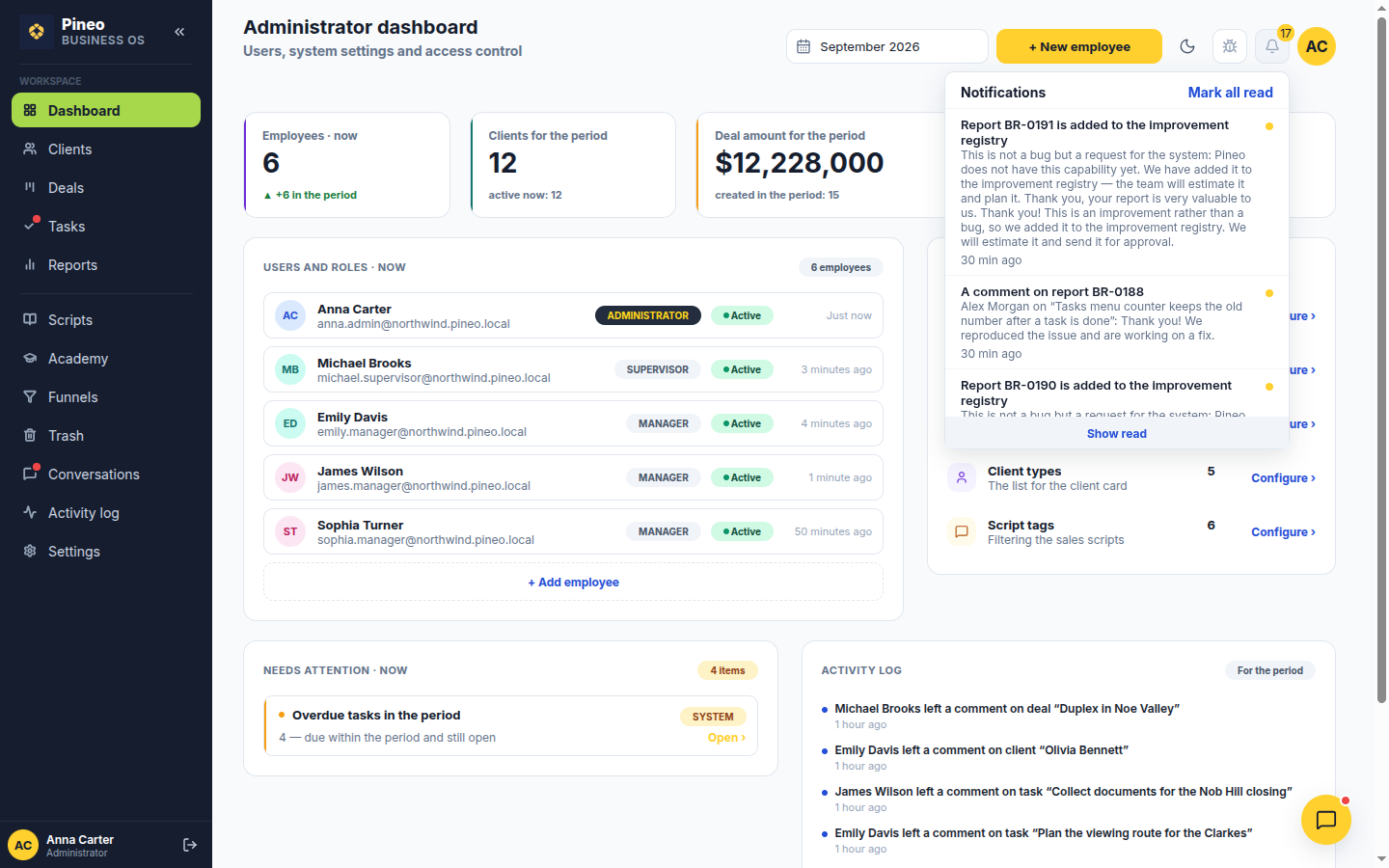
If the notification has already been read, click the bug and choose My reports. It lists all your reports with their number and status, newest first. Click a row — the same sheet opens. The All my reports link in the sheet header takes you back to the list.
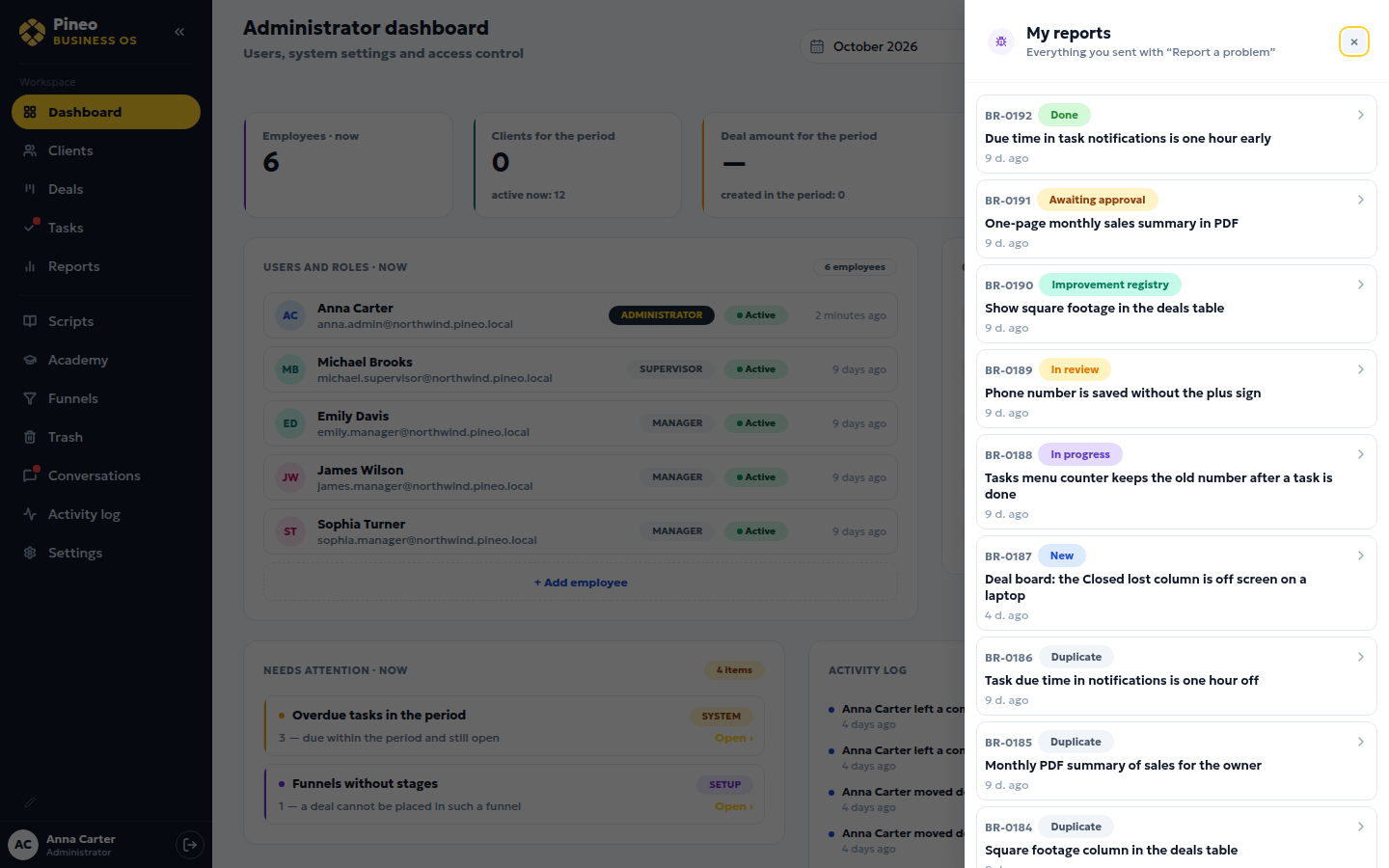
The report sheet#
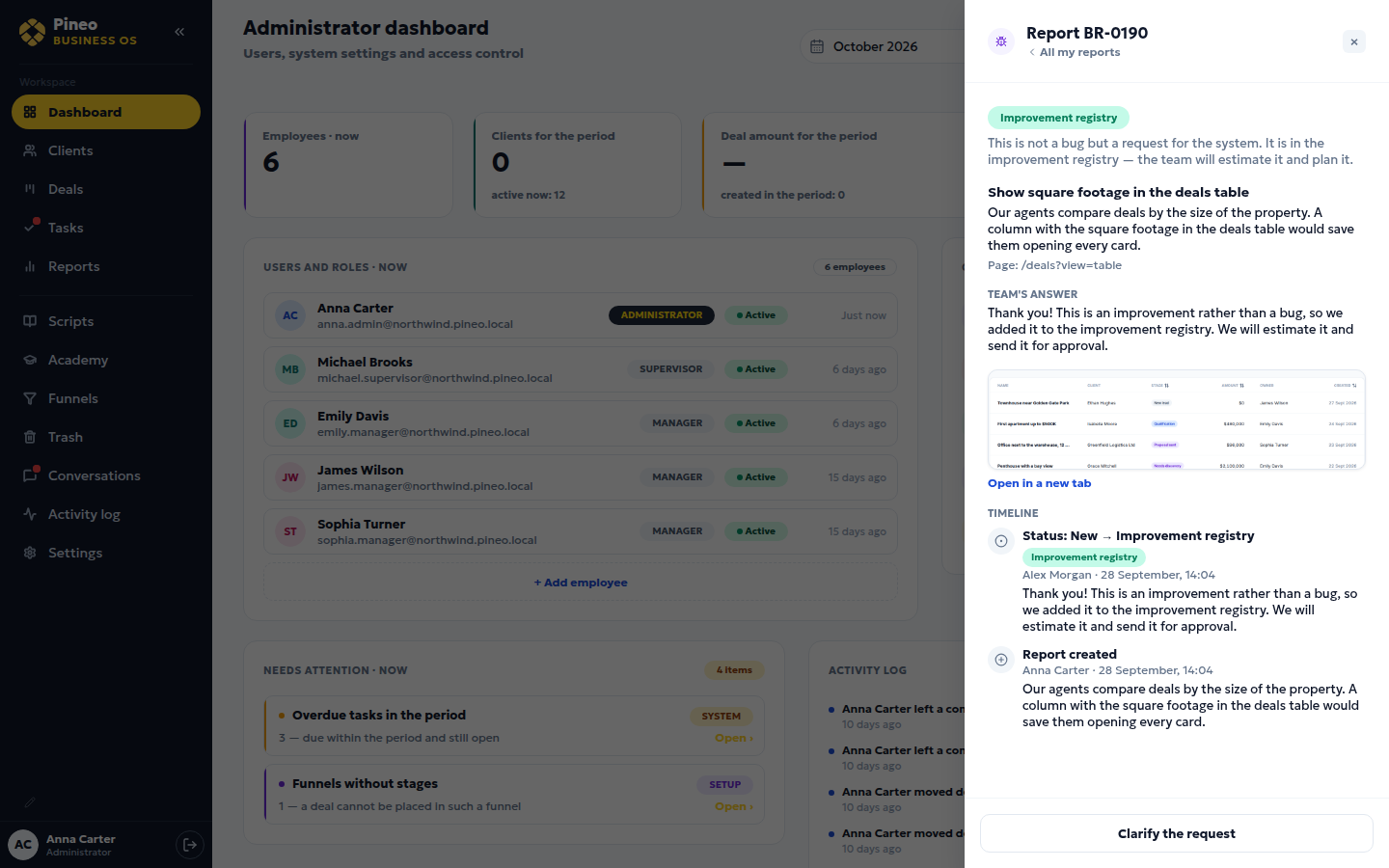
Under the status you see what it means and what to do next. Below are your description, the Team's answer, the area snapshot and the timeline: who did what and when. At the bottom is the button that fits the status.
Statuses and what you can do#
| Status | What it means | Button at the bottom of the sheet |
|---|---|---|
| New | The report is received and waiting to be reviewed. | Add to the report, and below it Withdraw the report |
| In progress | The team is working on it. | Add to the report |
| In review | The team reports that it has been fixed. Check it on your side. | Confirm the fix and Problem is still there; for an improvement, Accept the improvement and Needs more work |
| Done | The fix is confirmed and the report is closed. | The problem is back; for an improvement, Needs more work |
| Rejected | The team closed the report without a fix. The reason is in the Team's answer. | I disagree — add details; if you withdrew it yourself, Resume the report |
| Duplicate | This problem is already known under another number. When it is solved, you will get a notification. | I disagree — add details |
| Improvement registry | This is not a bug but a request for the system. The team will estimate it and put it in the plan. | Clarify the request |
| Awaiting approval | The request has been estimated by the team and is waiting for approval. | Clarify the request |
What happens after you add to a report#
An addition always goes into the same card, under the same number. Where it takes the report depends on the status:
- In review → “Problem is still there”. First select the place where the problem is visible, then describe what is happening. The report goes back into work.
- Done → “The problem is back”. The same: the area first, then the description. The report goes back to the queue of new reports. An accepted improvement goes straight back into work with the Needs more work button.
- Rejected or duplicate → “I disagree — add details”. A text field opens right away; you can add an area with the Select an area on the screen link. A bug goes back to the queue, a request goes back to the improvement registry; the team sees your objection and its link to the earlier decision.
- Improvement registry or approval → “Clarify the request”. The clarification goes into the improvement card; the report stays in the registry.
- New or in progress → “Add to the report”. The status does not change; the team sees the addition in the card.
After you send it, the “Thank you” screen tells you where the report is now: back in progress, back in the queue, or where it was.
If the team asked a question#
The notification “A question about report …” says what needs to be clarified. Until you reply, the team sees a Waiting for author label on the card. Open the report and click the button at the bottom of the sheet: write your answer and, if needed, select an area of the screen. After you reply, the label on the team's side changes to Author replied — your answer will not get lost.
If you do not respond to a check#
When a report is In review, the team is waiting for your answer. After three days you get a reminder. If there is no answer for two weeks, the report closes by itself with the notification “Report … is closed without a reply”. This is not final: the The problem is back button in the report sheet opens it again.
Withdraw a report#
Sent it by mistake, or the problem went away by itself? While the report is New and nobody has taken it, the bottom of the sheet has Withdraw the report. It closes with the note “Withdrawn by the author”, the team gets a notification and will not review it. If you change your mind, click Resume the report and write what is happening: the report goes back to the queue.
A bug or an improvement#
A bug is when the system does not do what it is meant to do: it does not save, calculates wrongly, shows an error. An improvement is when the system works as intended, but you want it to work differently: move a button, add a field or a report. Bugs are fixed as part of support. Improvements are estimated in hours, agreed with the customer and done separately. If your report was moved to the improvement registry, it is not a refusal — just a different path.
When an improvement is approved, you get the notification “Improvement … is in progress”. The hours and the contract terms are not shown in the report sheet: they are discussed with the customer's representative.
Access requests do not go through reports#
Permissions are granted by the organisation administrator in Settings → Roles and Team. A report like “I can't see my colleague's deals” will be rejected with an explanation: access is not widened through problem reports.