
Deal stages: moving, winning and losing
How a deal moves through the funnel, what closing stages require, how "required from stage" works and who can reopen a closed deal.
Every funnel consists of stages of three types: Open (work is going on), Won (the deal is closed successfully) and Lost (a refusal). The order of stages, their default probability, colour and activity are set by the administrator in the Funnels → Funnel stages directory (see Funnels and stages); a supervisor edits stages only of funnels they created themselves.
How to move a deal to another stage#
- On the board — drag the card to the right column.
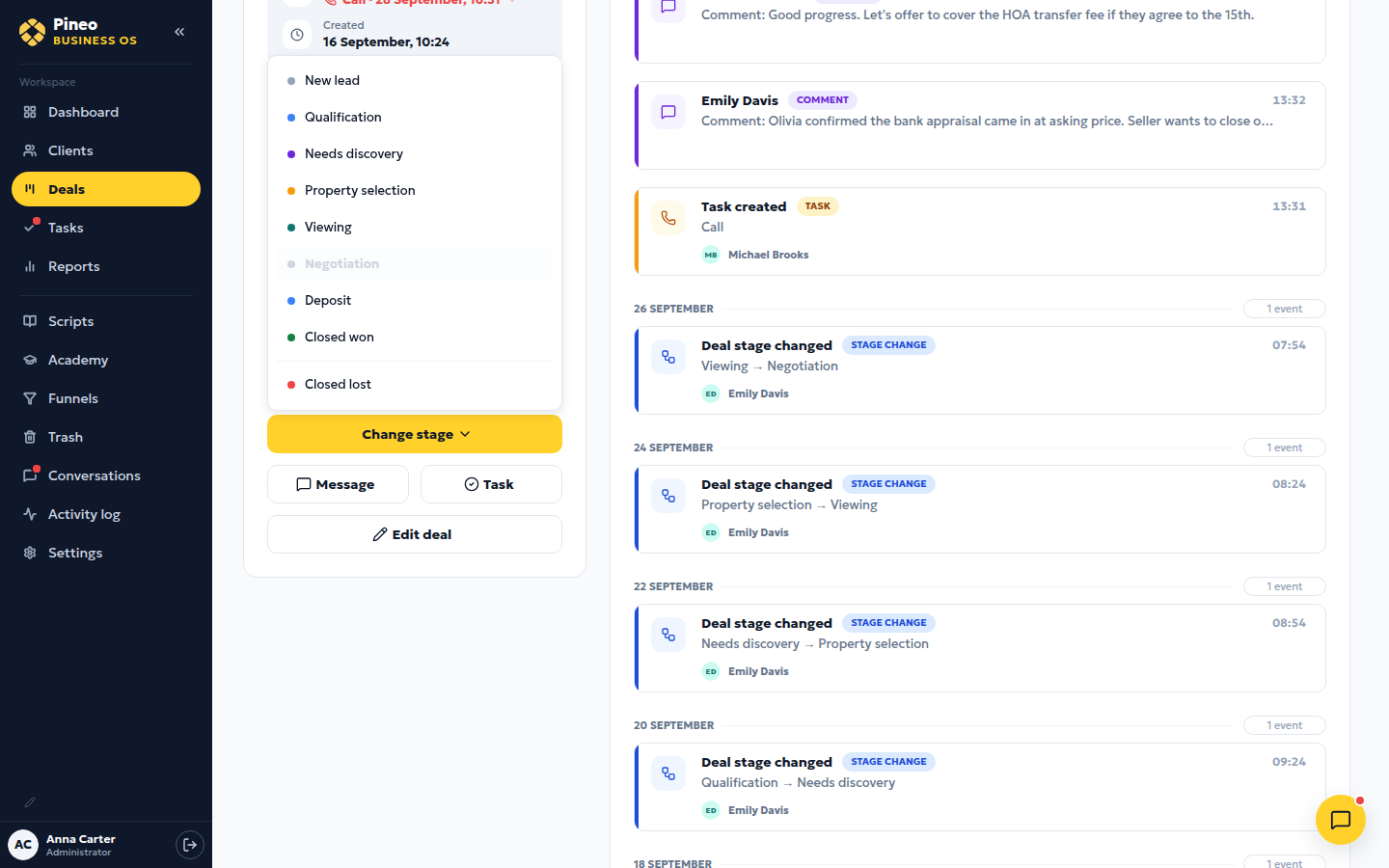
- In the deal card — the "Change stage" button, the stage badge or a segment of the progress bar.
The move is recorded in the timeline and the log with the date and author; the deal's probability is filled in from the new stage's settings. This works only in funnels available to you: if a funnel is assigned to departments you do not belong to, you cannot move the deal ("The funnel “…” is assigned to other departments — only their employees can work in it").
What the system will ask for#
The conditions are checked in this order; the first one not met is reported.
| Situation | What is needed |
|---|---|
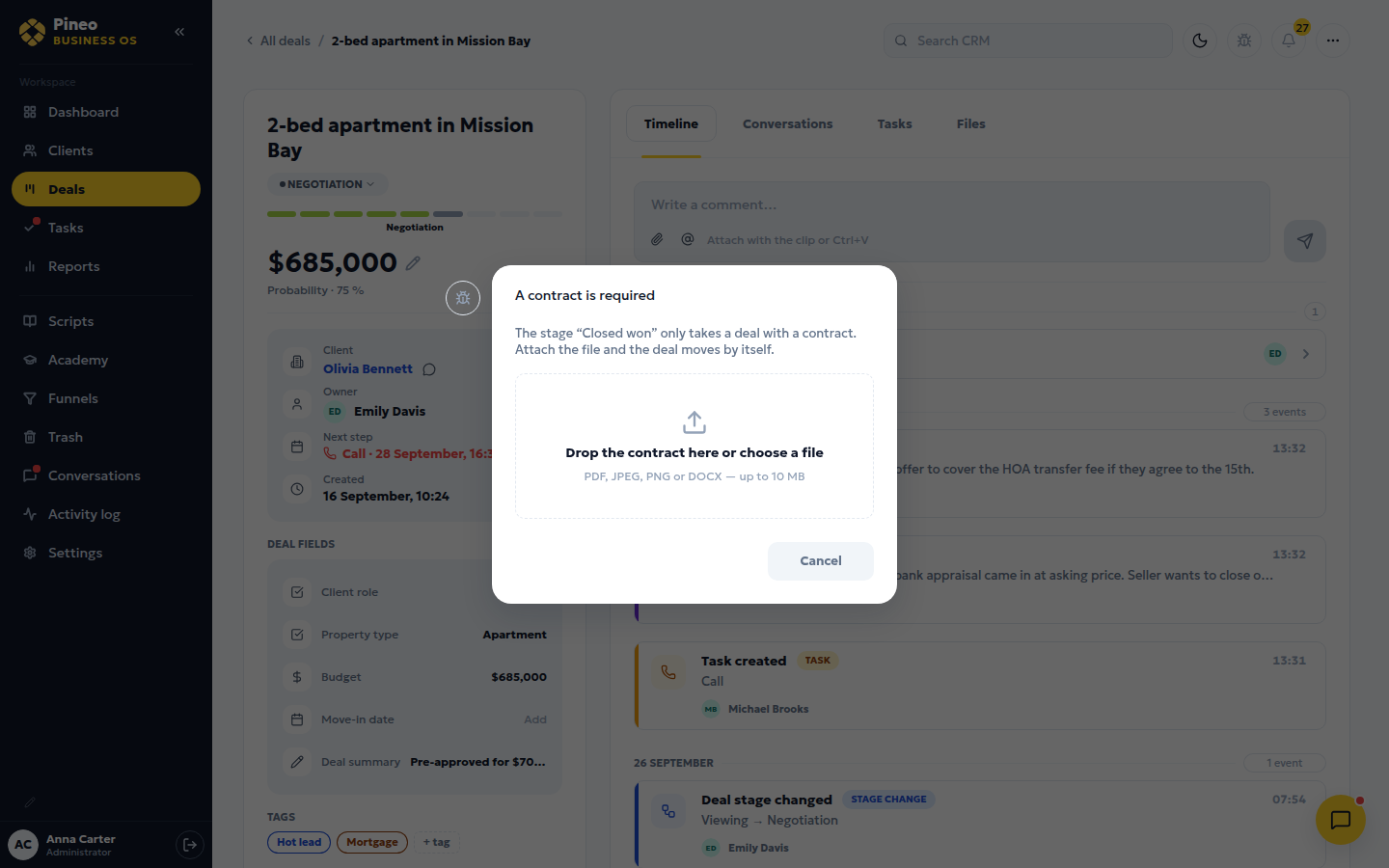
| Moving to a won stage | 1) a client — the "A client is required" window; 2) an amount — the "An amount is required" window; 3) a contract — the "A contract is required" window with an upload area: attach the file and the deal moves by itself; 4) all the funnel's required fields. |
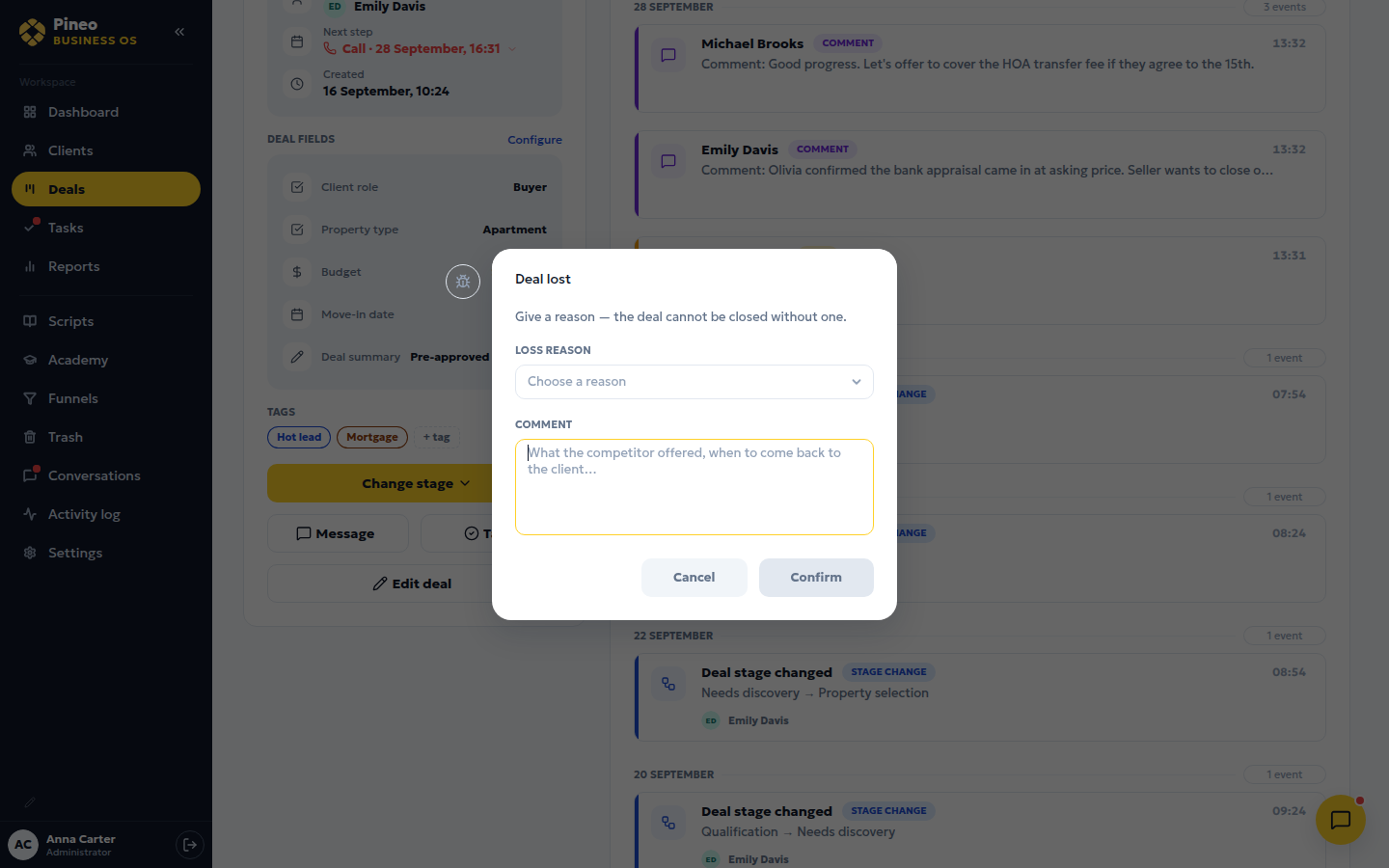
| Moving to a lost stage | A loss reason from the directory — the "Deal lost" window: choose a reason (a comment is optional) and click "Confirm". No amount or fields are needed. |
| A stage requires a contract (the stage flag) | An attached contract file. The flag is set when a funnel is created from a ready-made template; on won stages a contract is always required. |
| The funnel has required fields | All fields required from this stage on must be filled in. There is no window — a notification lists the missing fields, and in the card they are highlighted "Fill in the field". |
A direct move from one closing to another (won ↔ lost) is impossible: "You cannot move straight from a closed deal to another closing — reopen it first".
The "required from stage" field setting#
For every custom field of a funnel the administrator sets the stage from which it is required — a boundary, not a set of ticks. The field is required at that stage and at every stage after it; you cannot move the deal further without filling it in, nor clear a field that is required at the current stage. Existing deals are not re-checked when the setting changes until they are moved. The setting is in the deal card, the "DEAL FIELDS" block → "Configure" (see Tags and custom fields).
A closed deal#
On a won or lost deal the amount and currency cannot be edited until the deal is reopened.
Reopening a deal from closed stages#
A deal can be taken from the "Won" or "Lost" stage back to an open stage with the "Reopen" button in the card, if the role allows reopening a closed deal. For the standard "Administrator" and "Supervisor" roles the capability is on, for "Manager" it is off: the button's hint says "A closed deal is reopened by a supervisor or an administrator — ask them". The capability is switched on in Settings → Roles (see Roles and permissions).
Simultaneous work#
If two employees open the same deal and both change the stage, the first change is kept, and the second sees the message "The card has already changed — the data was refreshed. Check and try again." and the updated card — nothing is silently overwritten.