
Trash: restoring deleted things
What goes to the trash, how long it is kept, who sees, restores and erases for good, and what cannot be erased completely.
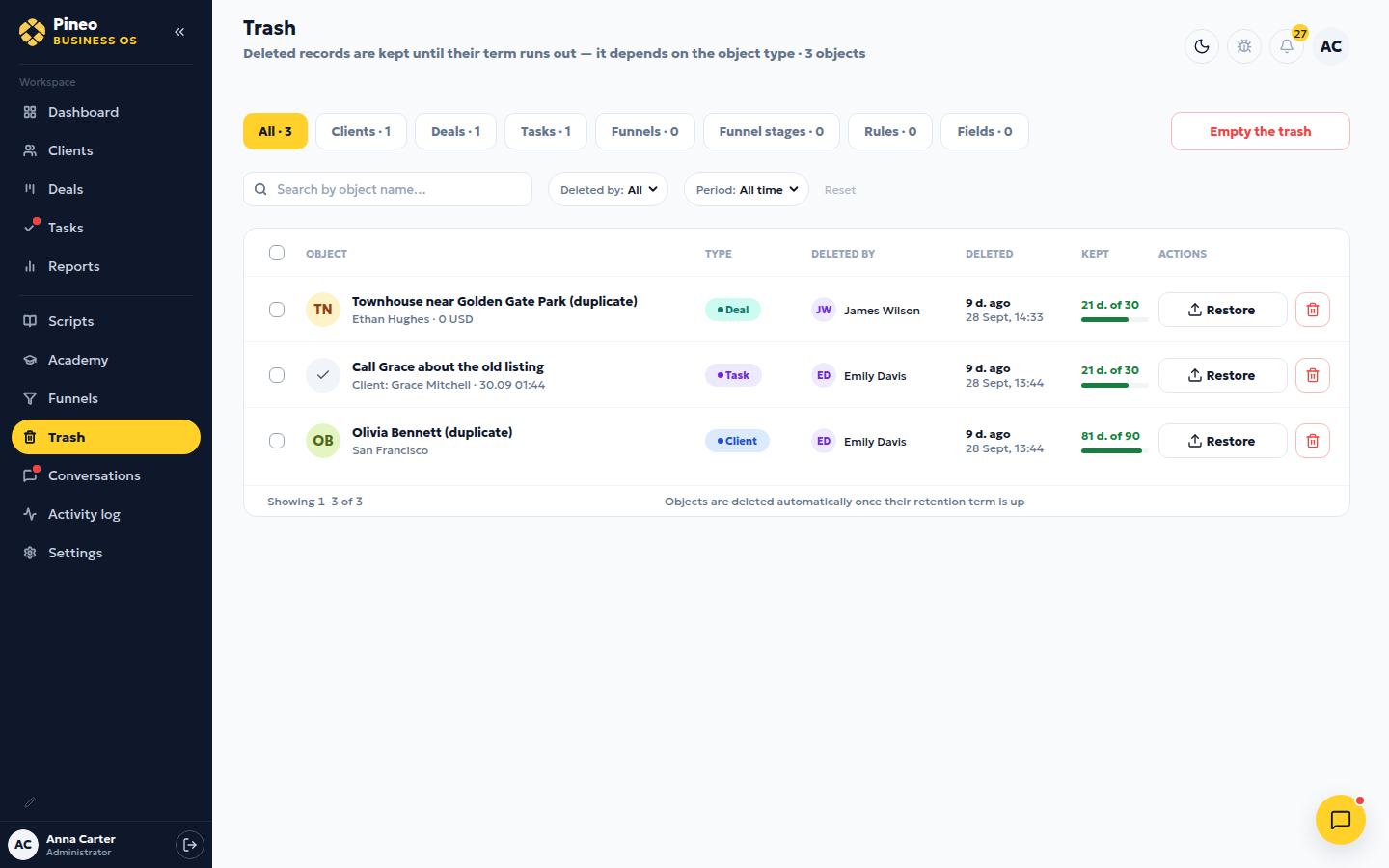
In Pineo nothing is deleted at once and for good. Deleted clients, deals, tasks, departments, funnels, stages, automation rules and custom fields go to the Trash and stay there until their term runs out. The Trash menu item is visible to the administrator and to roles with the Trash capability (by default, the supervisor) (Roles and permissions).
Retention#
| What | Kept for |
|---|---|
| A client (and its contact) | 90 days |
| A deal, task, department, funnel, funnel stage, automation rule, custom field | 30 days |
The Kept column shows how many days are left (“26 d. of 30”). When the term is over, the record is erased automatically — by a nightly job.
What is on screen#
- Tabs by type: All, Clients, Deals, Tasks, Funnels, and also Funnel stages, Rules, Fields — the last three are visible only to the administrator.
- Search by object name and the Deleted by and Period filters (7, 30, 90 days, all time).
- Columns: Object (with a subtitle — author, client, amount), Type, Deleted by, Deleted, Kept, Actions.
Restore#
Find the record and press Restore. You can tick several records — a bar with the Restore and Delete for good buttons and a Clear selection link appears above the table.
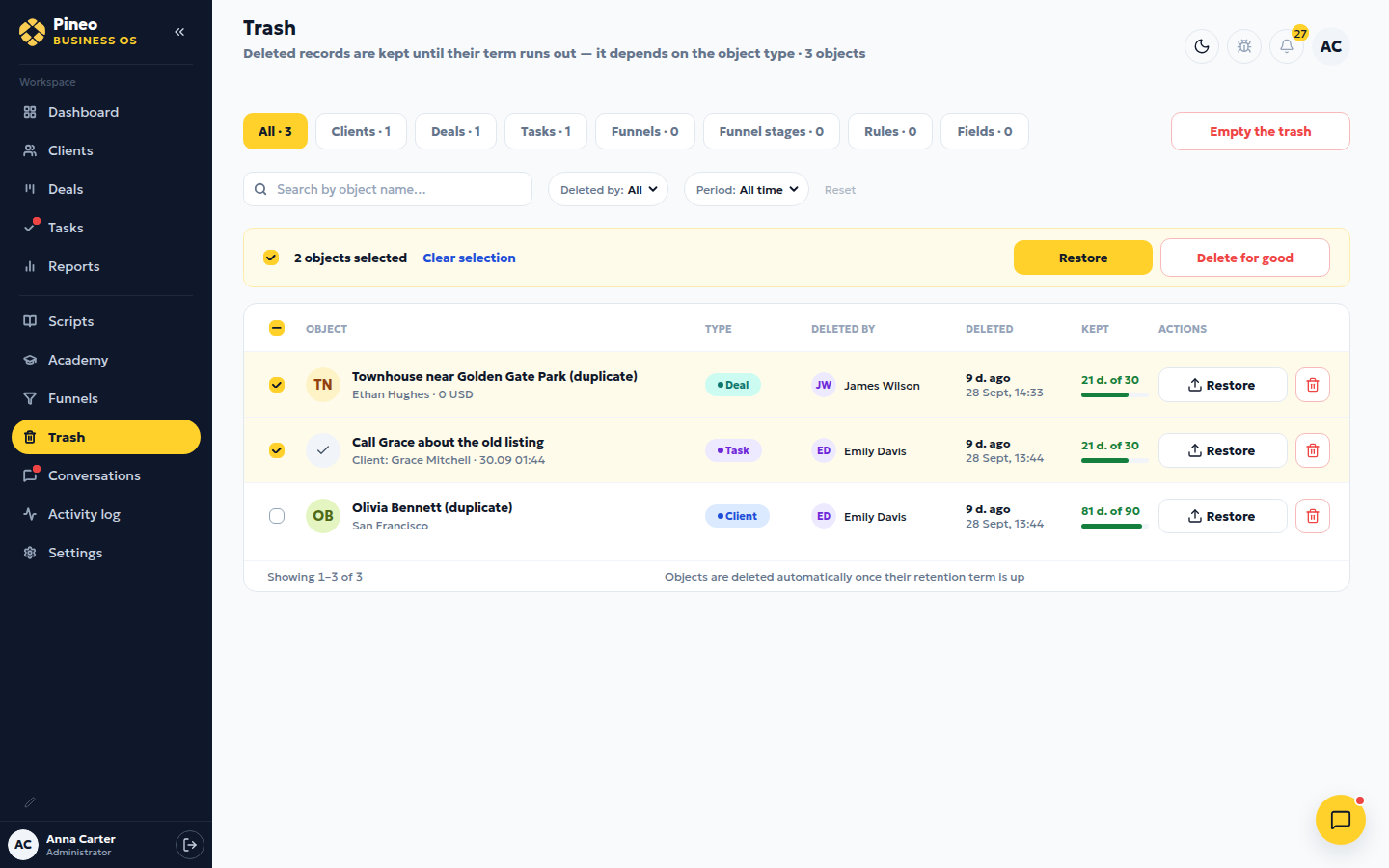
A deal comes back with its stage history, but only after the funnel it was in: restore the funnel (or the stage) first. Tasks deleted together with a client or a deal are restored separately.
Who can do what#
| Action | Who |
|---|---|
| Delete to the trash | Whoever can see the record and may delete it by their role — including a manager for their own cards |
| View the trash | The administrator; a role with the “Trash” capability — deleted records in their scope |
| Restore a deal, client, task | The administrator, or a role with “Trash” within its scope (the owner's supervisor) |
| Restore a funnel | The administrator; a role with “Trash” and “Funnels” — a funnel created by them or by their subordinate |
| Restore a stage, department, rule, field | The administrator only |
| Erase for good (Delete for good, Empty the trash, the bin icon on a row) | The administrator only |
Others see, instead of the erase buttons, the hint “Objects are deleted automatically once their retention term is up”.
What cannot be erased completely#
This is how the system protects reports and cards. Such records stay in the trash and can only be restored:
- a deal with a recorded amount;
- a client with active deals or a deal with an amount (including one in the trash);
- a custom field that still has values in at least one card.
Deleting a funnel and a stage#
When you delete a funnel that has deals, Pineo asks: move the deals to the trash with the funnel or transfer them to another funnel (Funnels and stages). A stage with deals on it cannot be deleted.