
Language and theme
How to switch between Russian and English, pick a theme, accent colour and density, and which language notifications arrive in.
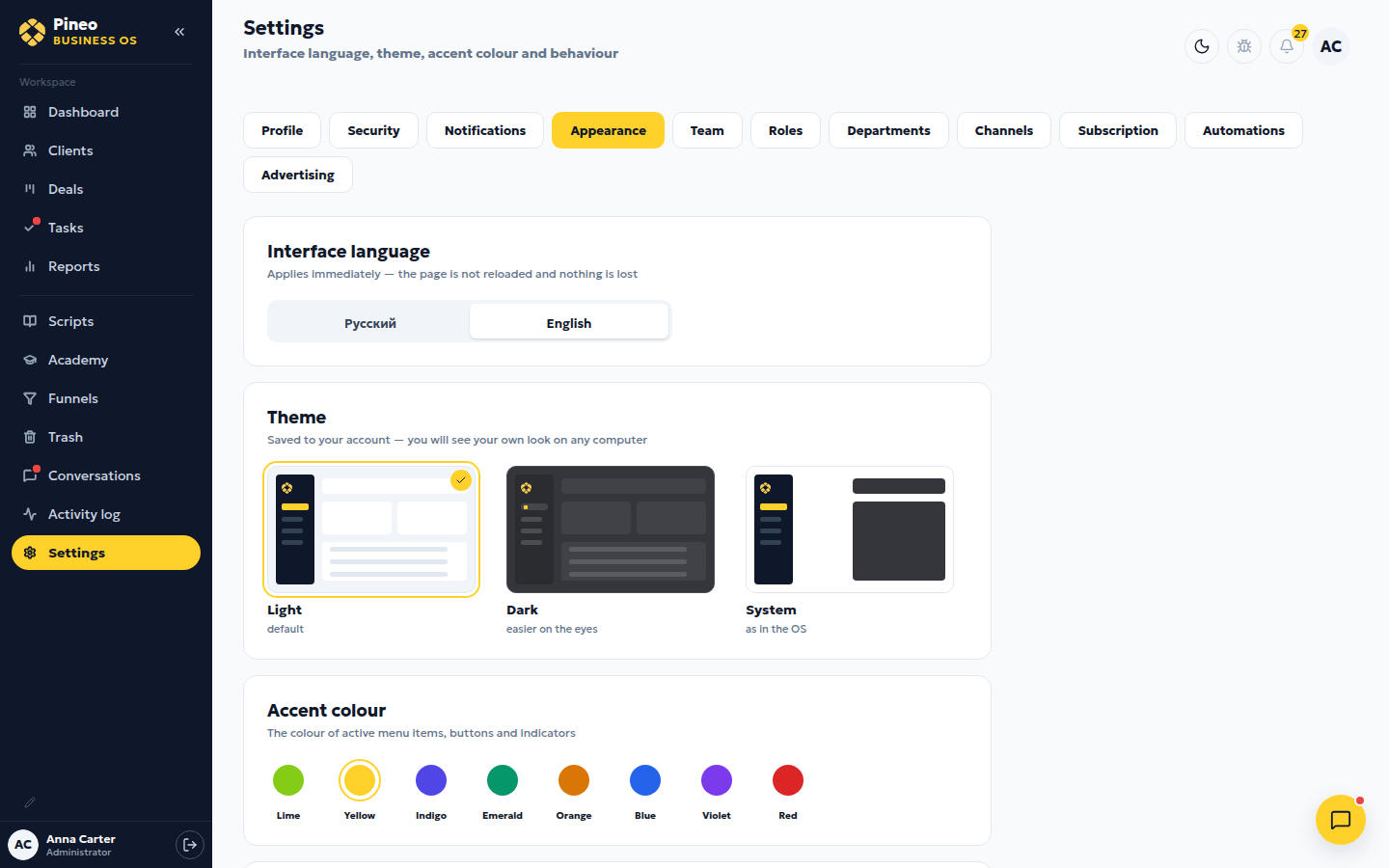
All your personal appearance settings are gathered in Settings → Appearance. They are personal: colleagues are not affected.
Language#
The interface is available in Russian and English. The language switch is on the sign-in page (top right, "RU / EN") and in the "Interface language" block on the Appearance page. The language applies immediately, with no page reload.
The choice is stored in the browser (a cookie for a year): on another computer you will have to pick the language again.
The names of your funnels, stages, tags, fields and roles are not translated — they are your data, and the system shows them as they are.
Language of notifications and emails#
Notifications in the bell and emails arrive in the language saved in your account (Russian by default). The switch on the Appearance page changes both at once: the interface language and the account language — the next notifications and emails arrive in the new language. Notifications created earlier are not translated: the text is written at the moment it is created.
If you pressed the language switch on the sign-in page yourself, the chosen language is also saved to your account after you sign in. If you did not (the language was picked from your browser settings or kept from last time), the account language does not change — you can change it on the Appearance page.
Theme#
The "Theme" block has three options: Light (the default), Dark and System — the last one follows your operating system's setting. The moon or sun button in the header switches between light and dark in one click.
The theme, accent colour, font and density are saved in your account — on any computer you will see your own look. The sign-in page is always light.
Accent colour#
The "Accent colour" block sets the shade of buttons and active elements: Lime, Yellow (the default), Indigo, Emerald, Orange, Blue, Violet, Red.
Other settings#
Further down the same page:
- Font — the interface typeface.
- Stage header on the deals board — the look of board column headers (see The deals board and table).
- Density and behaviour — "Compact", "Normal" or "Roomy" density; switches "Show deal amounts in lists", "Interface animations and transitions", "Collapse the sidebar on start".
- Restore defaults — return all of these settings to their original values.