
The team's internal chats
The organisation-wide chat, direct and group chats, mentions of colleagues, deals, clients and tasks.
Internal chats are conversations of employees among themselves, with no clients or external services. They open in the Conversations section with the button bearing the Pineo logo in the channel row ("Internal chats").
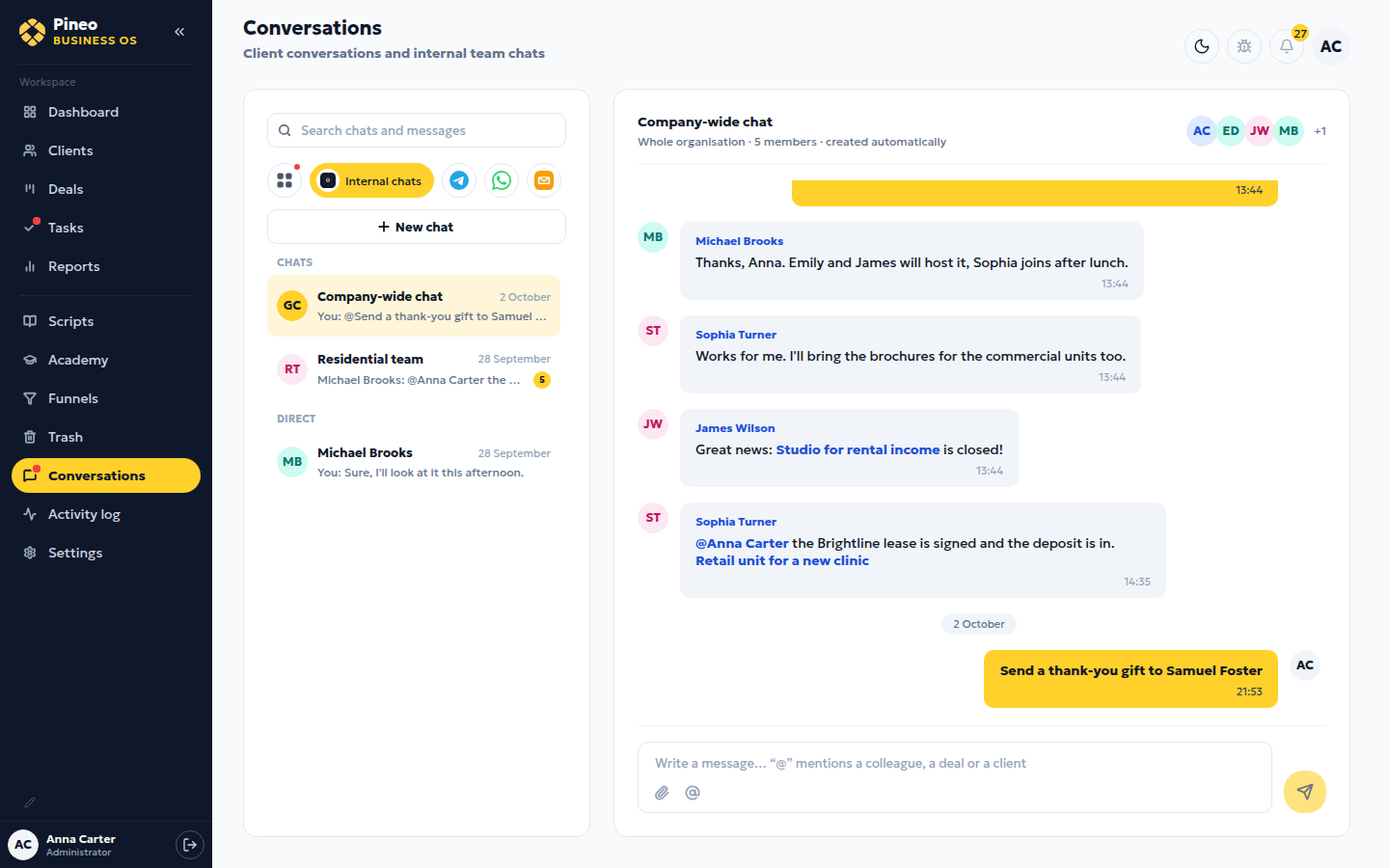
The left column holds the "+ New chat" button, the "Chats" section (company-wide and group chats) and the "Direct" section. The unread count is shown next to a chat; the internal chats button in the channel row gets a red dot.
Three kinds of chats#
| Chat | What it is |
|---|---|
| Company-wide chat | One per organisation, created automatically; the members are all active employees. |
| Direct chat | A conversation between two employees. One chat per pair of colleagues. |
| Group chat | A chat with a name and chosen members. The creator (and an administrator who is in the chat) can add and remove people and rename the chat; any member can leave — "Leave chat". |
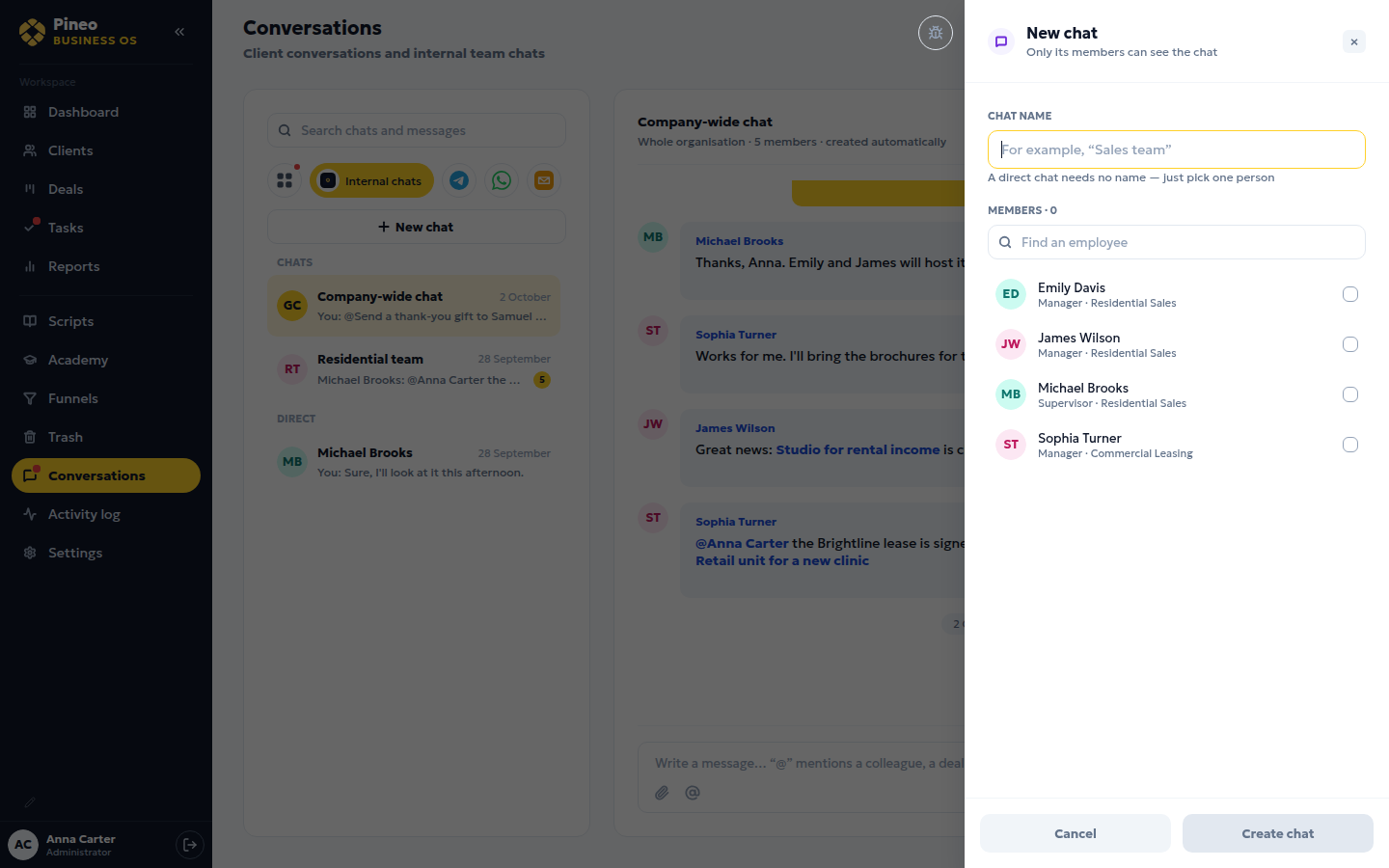
A new direct or group chat — the "+ New chat" button: in the panel enter the "Chat name" (not needed for a direct chat — just pick one person), tick the members and click "Create chat".
Mentions#
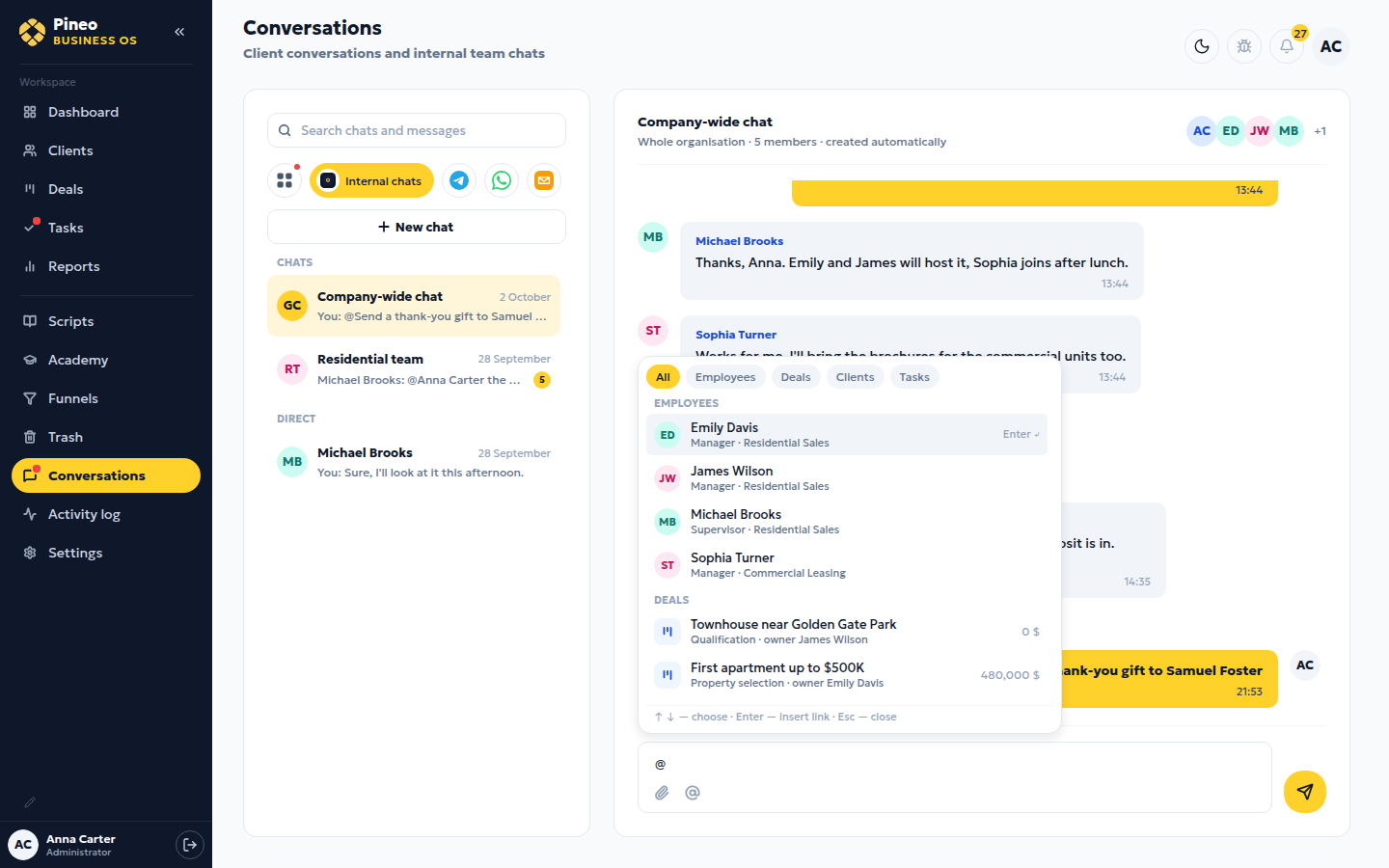
Type @ in the message field — a hint opens with the tabs "Employees", "Deals", "Clients" and "Tasks". You can mention a colleague, and also a deal, a client or a task: a link appears in the message that opens the card. This is handy for discussing a particular deal without forwarding it by hand. Choose an option with the arrows and Enter.
A mention of an employee reaches them as a notification in the bell only (not duplicated by email).
Messages#
A file can be attached to a message (the paper clip). You can edit and delete your own messages. A client's message from ordinary conversations can be forwarded to an internal chat — the "Forward" item in the message menu.
Who sees a chat#
Only its members. An administrator and a supervisor do not read other people's direct and group chats — it is a conversation between people, not a work object.