
Activity log
Everything employees do in the system: who changed what and when.
The Activity log is a timeline of every action in your organisation: creating and editing clients, deals and tasks, stage and owner changes, comments, actions by the system and by automations.
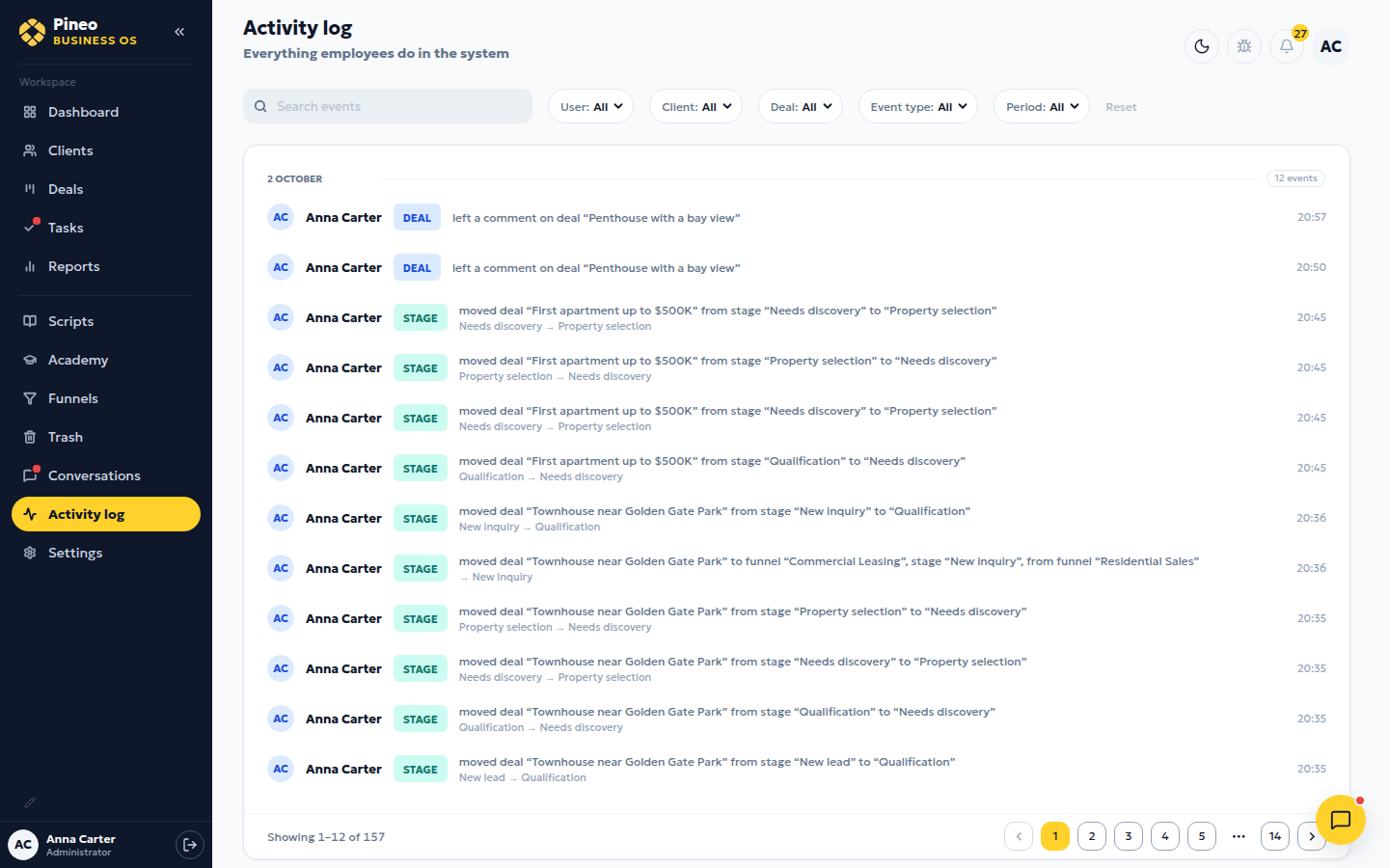
How to read it#
Each row shows who did it (avatar and name; System for automatic actions), the event type (Task, Deal, Client, Stage, System), what happened and when. Events are grouped by day.
Filters#
User, Client, Deal, Event type, Period. For example: “everything manager Ivanov did on the deal ‘CRM rollout’ this week”.
Where else you can see history#
The same history for a single record is on the Timeline tab of a client or deal card and on the History tab of a task. The log is kept for 24 months.
Who can see it#
The Activity log menu item is visible to the administrator and to a role that sees other people's deals, clients or tasks more widely than “own only” (the supervisor by default). A supervisor sees the actions of their scope, an administrator sees the whole organisation. Managers do not have the item.