
Custom deal and client fields
Your own fields in cards: types, tying to a funnel, required from a stage, archive and deletion, field-set templates.
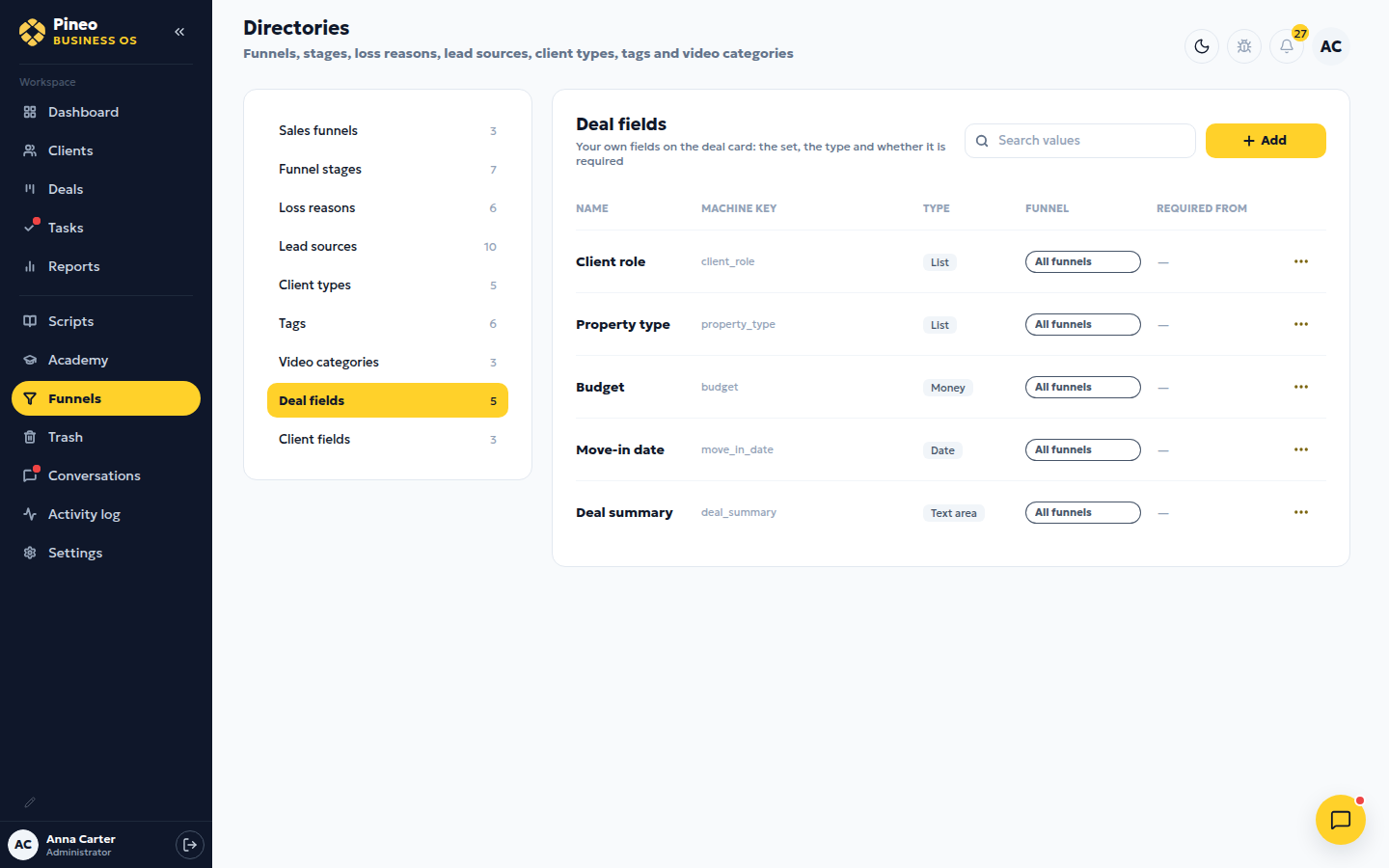
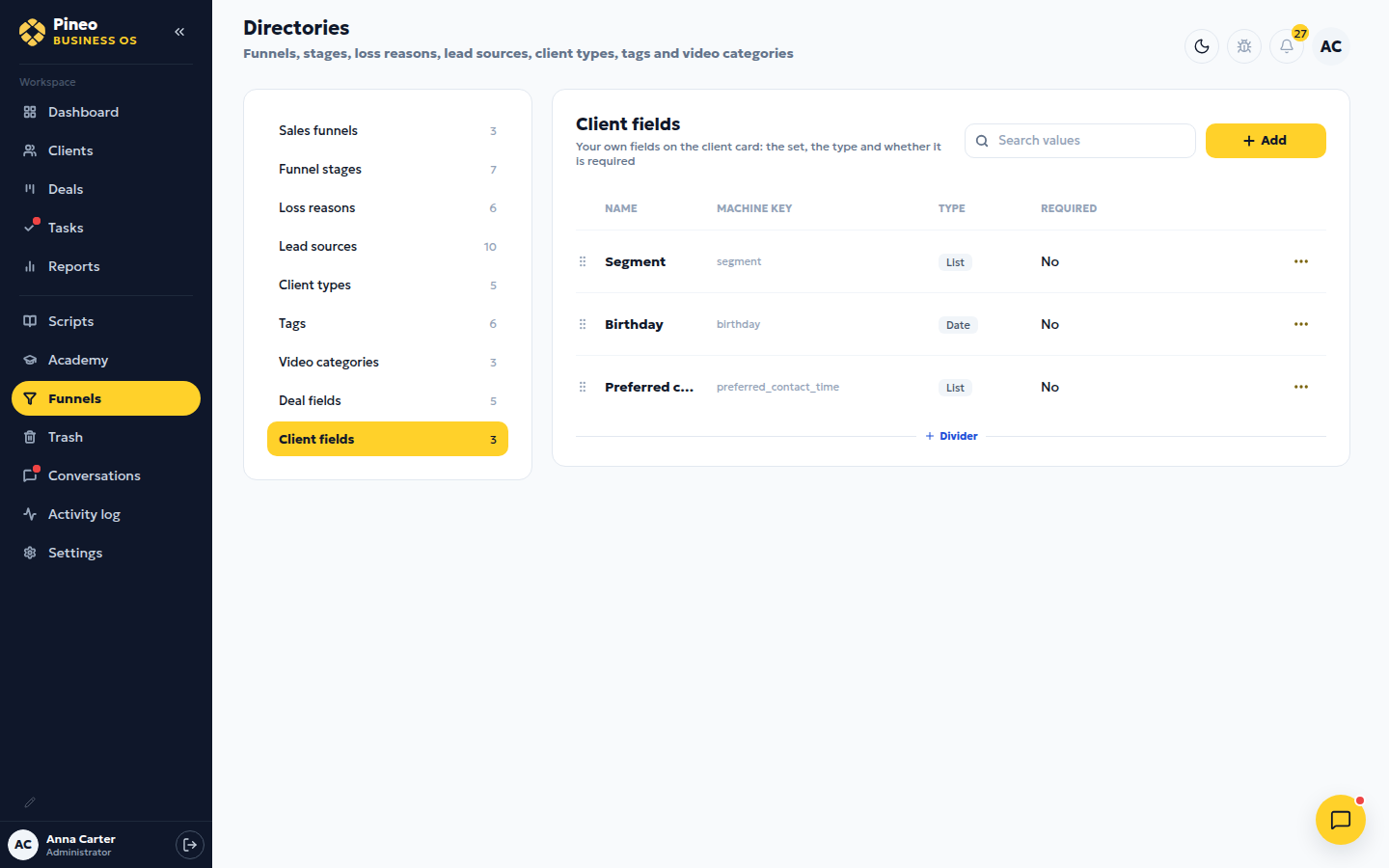
If the standard fields are not enough, add your own: the Funnels → Deal fields and Client fields menu. Only the administrator configures the field catalogue; everyone else sees the fields in cards and fills them in according to their role.
Field types#
Text, text area, number, money, date, date and time, flag, list (with your own options), employee, link, phone, email, file. The type does not change after creation — values are already stored in it. The Multiple values option allows up to 20 values (for files — up to 10); a field has one currency for all values. A file is a PDF, JPEG, PNG or DOCX up to 10 MB.
A field belongs to the organisation, the set belongs to the funnel#
A field is created once and shown in the funnels it is attached to. The Funnel column is “All funnels” or a specific one. So “Real estate” and “B2B” can have different sets, and a shared “Budget” field can be in both. Fields with the same name in different funnels are allowed: if you choose a funnel at creation, the field belongs to it, and a field with the same name in another funnel is a separate one. The funnel does not change after creation — the machine key depends on it.
Add a field#
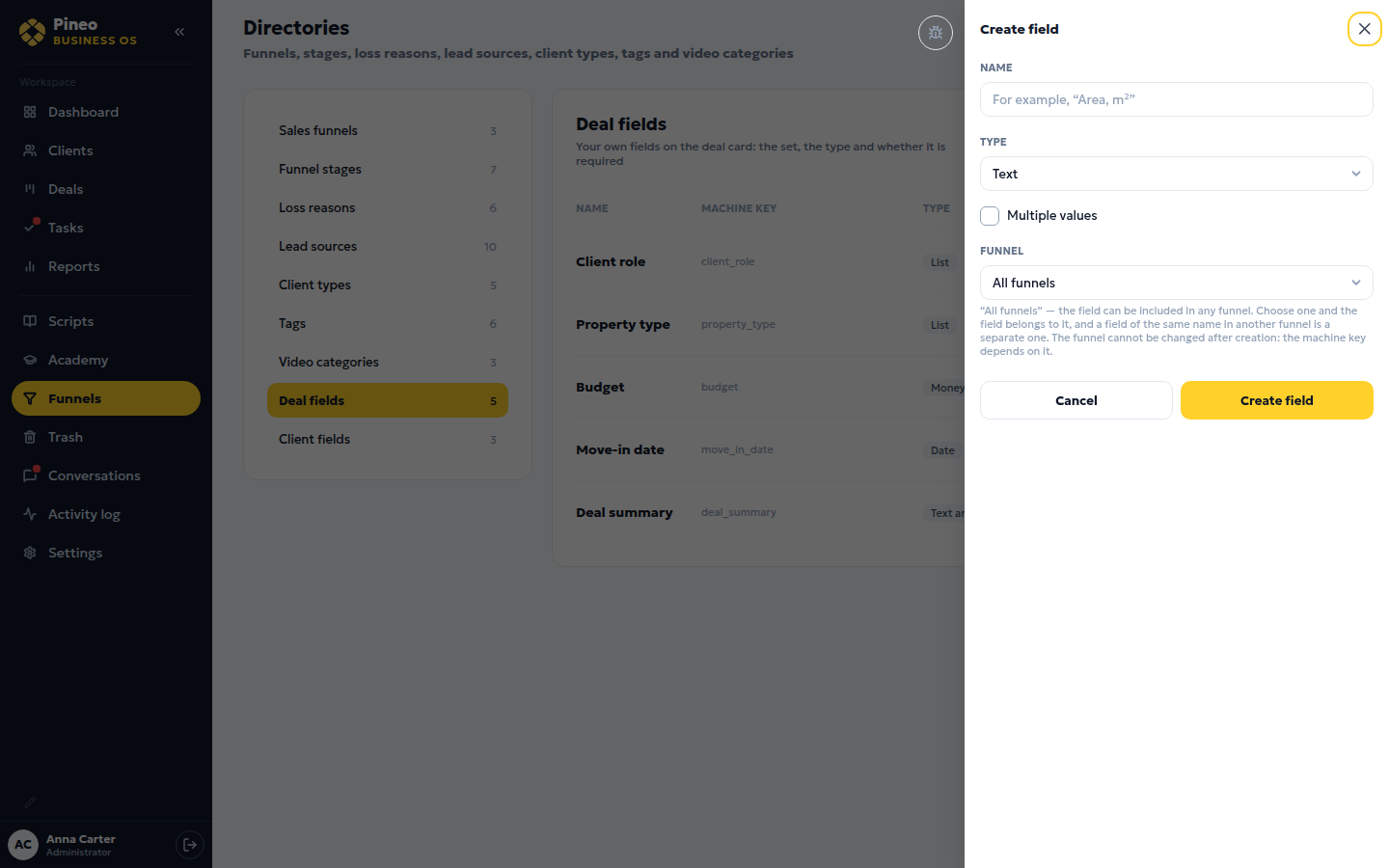
- The Funnels → Deal fields → + Add menu.
- In the Create field panel: Name, Type, for a list — the options, Funnel (or “All funnels”), and for a deal — the stage from which the field is required.
- Press Create field. Pineo builds the machine key itself from the name.
You can also configure a funnel's set right in the deal card: the Deal fields block → Configure (add an existing field to the funnel, reorder, remove, add a titled Divider).
Required fields#
- For a deal field being required is a single boundary: “required from stage”. Before that stage the field may stay empty; on moving to it and to all later ones the system demands a value and lists all missing fields at once. The Required from column.
- For a client field (a client has no stages) — a simple Required flag: the client card cannot be saved while the field is empty. Cards that already exist are not touched — the rule applies when they are opened and saved.
Required fields are not checked for deals that Pineo creates itself from client enquiries and website forms: an enquiry does not ask for what it does not contain.
Archive, remove from funnel, delete#
Three actions that are easy to confuse:
| Action | What it does |
|---|---|
| Remove from the funnel (in the deal card) | Removes the field from the cards of one funnel. |
| Move to archive | Hides the field everywhere; you can Restore from archive. |
| Delete | Sends the field to the trash for 30 days. |
Values in cards are not erased by this: restore the field and they are visible again. A field that has values in at least one card (including the trash) cannot be deleted for good: it stays in the trash while values exist (Trash).
Set templates#
A funnel's set of fields can be saved as a template (Save to a template) and loaded into another funnel (Load from a template) — buttons in the “Deal fields” block of the card. A template belongs either to one funnel or to all funnels of the organisation. Loading replaces the funnel's set of fields but does not erase values in filled cards: fields that are not in the template just stop being shown.